

Remember asking your parents to tell you a story with you as the hero? That magic - the one where your name was spoken aloud on page one - is something most of us carry into parenthood. The good news: you no longer need to be a professional author or illustrator to give that gift. A modern AI storybook creator makes it possible for any parent, grandparent, or gift-giver to produce a beautifully illustrated, fully personalized children's book in a single afternoon.
In this guide, you'll learn exactly how to do it using one of the most intuitive AI book creators available today. Whether you want a printed keepsake or a digital bedtime story, you'll have everything you need by the time you reach the end of this post.
What Is an AI Storybook Creator - and Why Should You Use One?
An AI storybook creator is an online tool that uses artificial intelligence to generate story text, illustrations, and layouts based on information you provide. You give the tool a few inputs - a child's name, age, interests, perhaps a life event or moral you want the story to celebrate - and the AI assembles a custom book around those details.
The result is something that a professional author would have charged thousands of dollars and weeks of lead time to produce. With an AI book creator, the same outcome takes minutes.
Here's why parents and gift-givers are turning to them in growing numbers:
Personalization at scale. A book that says "Once upon a time, there was a brave girl named Mia who loved dinosaurs and making her little brother laugh" hits differently than a generic picture book off a shelf. Children see themselves in the story, which research consistently shows improves reading engagement and emotional connection.
No creative skills required. You don't need to know how to write, draw, or design. The AI story generator handles prose and pacing; the AI book illustrator handles artwork. Your job is to provide the details that make the story uniquely theirs.
Printed or digital options. Most tools, including Story Spark, let you keep your book as a digital file or order a professionally printed, hardcover edition — ideal for birthdays, holidays, baby showers, and "just because" moments.
Speed. From the first prompt to a finished draft: under ten minutes. From draft to printed book in your mailbox: a few days.
Step-by-Step: How to Create a Personalized Children's Book with Story Spark
Step 1: Go to Story Spark and Start a New Book
Sign up and head to your profile. and click Create A Book.
You'll see a simple creation flow. Think of it less like filling out a form and more like having a conversation. The tool is designed to feel approachable even if you've never used an AI story generator before. Use this link to learn more about our Storybook Creator.
Step 2: Create Your Character
This is where personalization begins. You can create your own characters to put into your storybooks. This can be anything! You can make you and your child into characters in the story. Use this link to learn more about our Character Creator.
Don't overthink this step. You can always go back and adjust. The AI uses these inputs as raw material, not a rigid script.
Step 3: Tell Us Your Story Idea
This is where the magic really begins - and where your imagination gets to run wild.
In just a few sentences, tell Story Spark what you want the story to be about. There are no rules here. No dropdown menus. No boxes to tick. Just you, a blank prompt, and every possibility in the world.
Maybe it's something wonderfully specific: "Theo is a five-year-old who is convinced his pet tortoise is secretly a time traveler. One morning, the tortoise disappears - and Theo has to follow him back to the age of the dinosaurs to bring him home before dinner." Maybe it's something tender and true: "Sofia just became a big sister and she's not sure how she feels about it. She meets a little fox who teaches her that sharing your den - and your heart - only makes both bigger." Or maybe it's pure, joyful chaos: "Jake finds a cloud that rained chocolate, a cat that spoke in riddles, and a hole in his backyard that led to a city built entirely from lost socks."
The more vivid and specific your idea, the richer the story Story Spark will craft. But even a single sentence - "a girl who could talk to stars" - is enough to spark something extraordinary. Story Spark's AI takes whatever you give it and builds a complete, beautifully paced narrative around it: a world, a problem, a journey, and a resolution your child will want to hear again and again.
Can't decide? That's okay too. Share a few words about the child - what they love, what they're going through, what makes them laugh - and let Story Spark's AI suggest the story. Sometimes the best tales are the ones you didn't know you needed until they appeared on the page.
If you're creating something for bedtime, lean into the dreamlike and the gentle - stories that slow the world down and ease a little mind toward sleep. (For more on that, read our guide on how to use AI to create the perfect bedtime story.)
Step 4: Generate Your Story
Click Generate and let the AI story generator do its work. Within minutes, you'll have a complete first draft: a fully structured children's story with your child's name woven naturally into the narrative, age-appropriate language, and a satisfying beginning, middle, and end.
Step 5: Edit and Refine
The draft is a starting point, not a final product. Story Spark gives you a full editing interface so you can:
- Rewrite any line or paragraph
- Adjust the tone (funnier, more dramatic, gentler)
- Add inside jokes, family references, or specific locations
- Regenerate individual sections you want to change
Most parents find they make small tweaks rather than major revisions - the AI story generator typically nails the voice on the first pass. But the editing step is important because you know this child better than any algorithm. Use that knowledge.
Step 6: Review the AI-Generated Illustrations
As your story is generated, Story Spark's AI book illustrator creates matching artwork for each page - colorful, age-appropriate illustrations that reflect the child's appearance, the setting, and the mood of each scene.
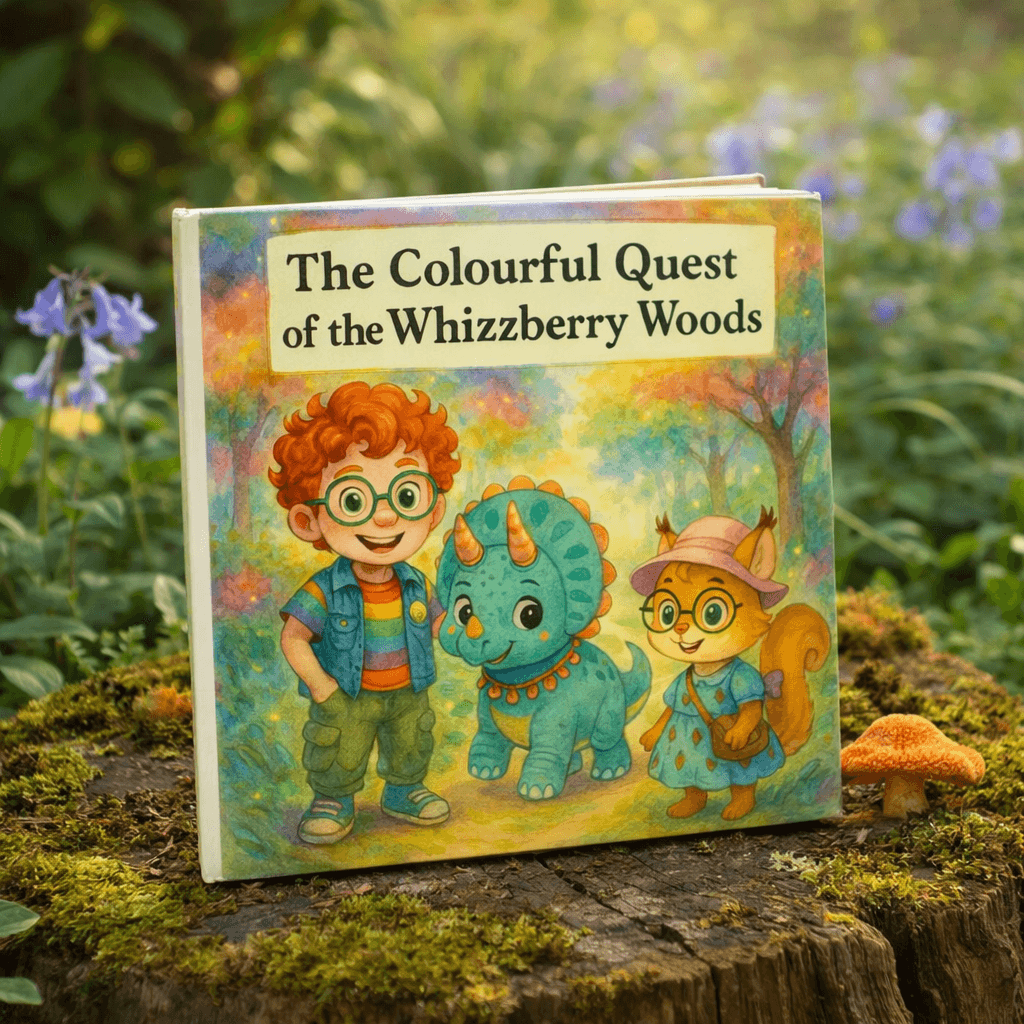
You can customize illustration style (watercolor, cartoon, storybook classic) and in many cases adjust character details to better match the real child. Want the main character to have curly red hair and glasses? You can make that happen.
For a deeper look at how the illustration process works and how to get the most out of it, see our post on how AI book illustrators create personalized artwork.
Step 7: Preview the Full Book
Before you finalize anything, use the full-book preview to read through your story as it will appear - text and illustrations together, laid out across pages. This is the moment most creators describe as the "oh wow" step.
Check for:
- Name spelling throughout (it should be consistent and correct)
- Page flow and pacing - does the story feel complete?
- Illustration accuracy - do the images match the text on each page?
If anything feels off, go back and adjust. There's no limit to how many times you can revise.
Step 8: Choose Your Format — Digital or Print
Once you're happy with your book, decide how you want to receive it.
Digital download is instant - great for gifting quickly, sharing with family across distances, or reading on a tablet at bedtime.
Printed hardcover is the experience most people are after: a real, tangible book with your child's name on the cover, sitting on a shelf next to the classics. Story Spark prints on high-quality paper with a durable cover — a keepsake that can genuinely last a lifetime.
If you're thinking about going beyond a single printed copy and distributing your book more widely, our guide on how to self-publish a children's book covers the full process from Story Spark creation to wider distribution.
Step 9: Order and Wait (Not Long)
If you've chosen print, complete checkout. Story Spark's production and shipping is fast - most orders arrive within a few business days, depending on your location and shipping selection.
When the book arrives, hand it to the child. Watch their face when they see themselves on the cover!
Tips for Getting the Best Results from Your AI Storybook Creator
Be specific with the inputs. "She loves animals" is okay. "She loves elephants, especially the ones at the zoo she visited on her fifth birthday" gives the AI story generator something to work with.
Match the theme to the child's current world. Is he nervous about starting kindergarten? Is she adjusting to a new baby sibling? The best personalized books meet children where they are emotionally - they don't just entertain, they help.
Don't skip the editing step. Even a few small personal touches - a real street name, a family pet's name, a phrase your child actually says - make the book feel like it was written for them rather than about them.
Order early for gifts. If you're creating a book for a birthday or holiday, give yourself a few extra days of buffer. The creation process is fast; shipping has its own timeline.
Save your project. Story Spark saves your work so you can come back, order additional copies later, or create a sequel.
Frequently Asked Questions
How long does it take to create a book with an AI storybook creator? Most people complete their story draft in 5-10 minutes. Editing and refinement typically adds another 10-15 minutes. You can have a finished, print-ready book in well under an hour.
Do I need any writing or design experience? None at all. The AI handles writing and illustration. You provide the personal details and make any edits you'd like.
Can I personalize the illustrations to look like the child? Yes! You can turn anyone into a character. Just upload an image and we will turn it into a character.
What age range is best for personalized AI storybooks? Story Spark creates books suited for all ages, with different reading levels, themes, and illustration styles for different ages. You specify the child's age during setup and the AI calibrates accordingly.
Is a printed book really good quality? Yes. Story Spark prints on professional-grade paper with vibrant full-color printing and a durable hardcover binding. Many families describe the finished books as indistinguishable from traditionally published picture books.
Can I create more than one book? Absolutely. Many parents create books for multiple children, make seasonal gifts for grandchildren, or return each year around a birthday. Each book is generated fresh with new personalization.
What if I want to publish my book more broadly? Story Spark is designed primarily for personal and gift use. If you're interested in wider distribution or commercial publishing, our guide on self-publishing a children's book explains the options available to you.
Ready to Create Your Story?
A personalized children's book is one of the most meaningful gifts you can give - and with an AI storybook creator, it's also one of the easiest to make. You don't need talent, time, or a big budget. You just need to know the child.
Your story is waiting.