



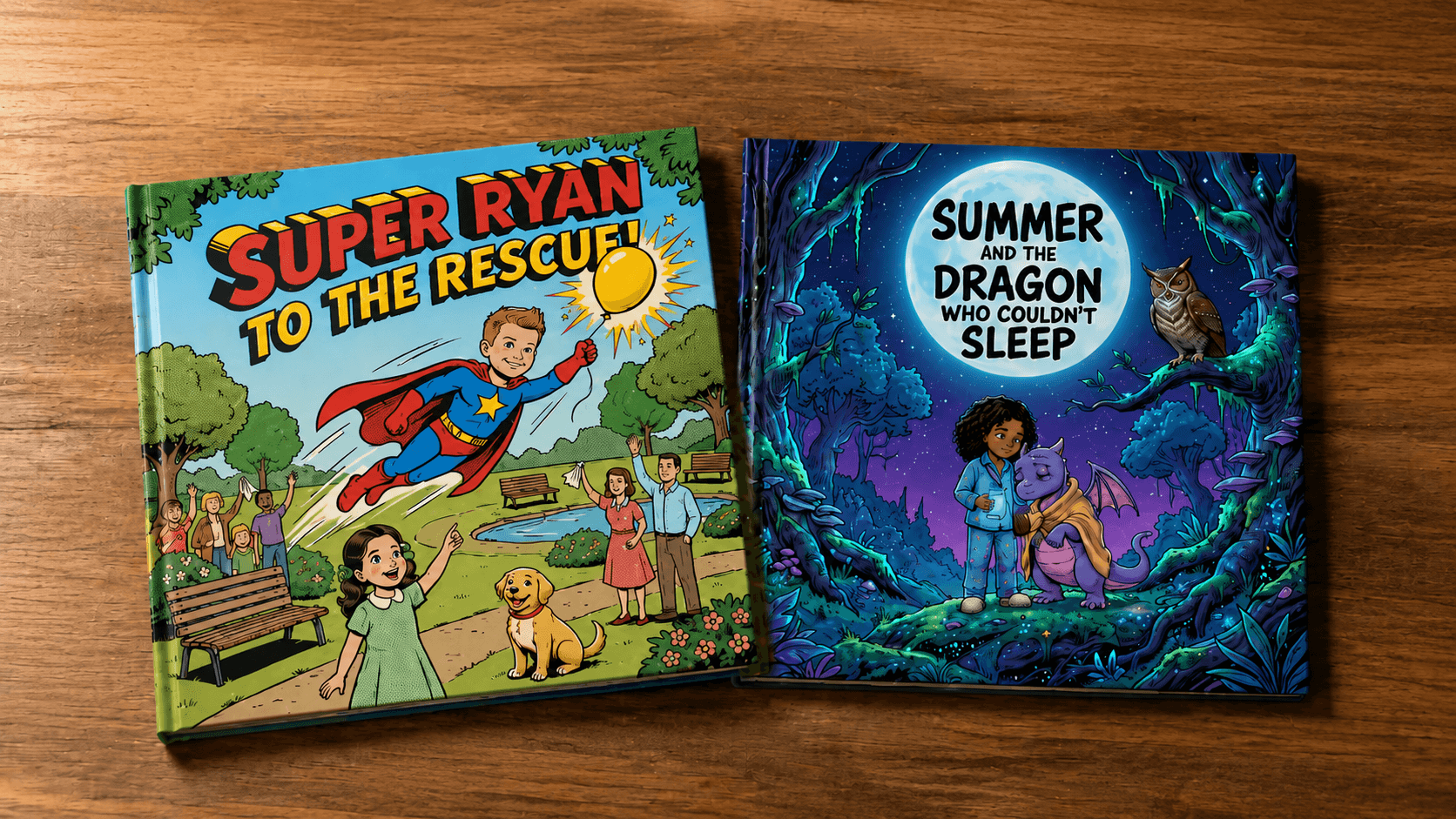
There is a specific kind of magic that happens when a child sees themselves inside a story. Not a character who is vaguely similar, and not a name that happens to match, but an illustrated version of their actual face, doing something brave or silly or kind, on the pages of a real book. It is the moment a bedtime story stops being something a child listens to and becomes something a child belongs to.
That kind of book used to require a professional illustrator, a lot of money, and a lot of patience. Now it takes a photo, a few minutes, and Story Spark. This guide covers exactly how to turn your own photos into a personalized bedtime story, why it makes such a powerful difference at bedtime specifically, and how to get the most out of the process from your first upload to the finished hardcover on your child's shelf.
Why Turning a Photo Into a Story Works So Well at Bedtime
Bedtime is not just the last activity of the day. For most families, it is the most consistent, most repeated ritual a child experiences, night after night, for years. That repetition is exactly why the story you choose for it matters so much, and why a personalized one has an effect a generic story simply cannot match.
Recognition creates connection. Children, especially younger ones, respond powerfully to seeing themselves represented. When the character on the page has their face, their favorite toy, or their actual pet standing next to them, the story is no longer abstract. It is happening to them, which makes the emotional beats of the story, courage, kindness, calm, land far more deeply.
It turns anxiety into agency. A huge number of classic bedtime story themes exist to help children process fear: fear of the dark, fear of monsters under the bed, fear of being away from a parent. When the child themselves is the one shown being brave in the story, rather than a character who merely resembles them, the story becomes a rehearsal for their own courage rather than someone else's.
It becomes part of the ritual itself. A personalized bedtime storybook, printed as a real hardcover, tends to get requested again and again in a way that a device screen rarely does. Parents who create one often find it becomes the book, the one pulled off the shelf on the nights when a child needs something familiar.
It preserves a version of childhood that fades fast. A photo of your child at four years old captures how they looked. A story built from that same photo captures how they felt to be around: what made them laugh, what they were scared of, what they were proud of. Years later, that combination is worth far more than the photo alone.
How Story Spark Turns a Photo Into a Character
At the center of this entire process is a feature most AI story tools do not offer at all: the ability to turn a real photograph into a consistent illustrated character who can appear across every page of a book.
Here is how it works inside Story Spark. You upload a photo, a child, a parent, a grandparent, a pet, or even a favorite stuffed toy, and Story Spark transforms it into an illustrated version of that subject, rendered in the art style you choose for your story. That character then stays consistent from page to page, so the same illustrated child who appears on page one is recognizably the same child on page twenty, having the same adventure, wearing the same expression of wonder or bravery the story calls for.
You can add up to four characters to a single story, which is enough to include a child alongside a sibling, a parent, and a pet, all appearing together in the same illustrated world. This is what makes a Story Spark bedtime book feel fundamentally different from a book with a character who merely shares a name. The child sees themselves, not a stand-in.
There is a second, related feature worth knowing about too: Illustrate My Photo. Beyond turning a person into a recurring character, you can upload any photo, a family picture, a child's own drawing, a favorite snapshot from a real memory, and have it transformed into a beautiful illustration in your chosen style. This works wonderfully as an opening page, a closing page, or scattered throughout an entire storybook illustrated from your own family's real photos.
Both of these tools live inside the Storybook Creator, alongside the rest of Story Spark's story-building tools.
Three Ways to Build a Photo-Based Bedtime Story
Story Spark does not force every creator down the same path. Depending on how much you want to write yourself versus how much you want the AI to handle, there are three ways to build a photo-based bedtime story.
Let the AI story generator write it around your photo-based character. Describe your story idea in a few sentences, add your child as a character built from their photo, and Story Spark's AI story generator writes and illustrates a complete bedtime story featuring them. This is the fastest path, and ideal for a parent who has a clear idea in mind but does not want to write the full text themselves.
Write it yourself and let Story Spark illustrate it. If you already have a bedtime story in mind, maybe one you have been telling from memory for years, you can type or paste the full text and have Story Spark illustrate every page, using your child's photo-based character throughout. This keeps your exact words and family traditions intact while giving the story a professional, consistent illustrated look.
Build it entirely yourself with photos front and center. For families who want maximum creative control, the blank canvas option provides professional formatting and page sizing, letting you write your own text, upload your own images, and use Illustrate My Photo to turn real family pictures into matching illustrations throughout. This path suits parents who want an entire book built from real memories rather than an invented adventure.
All three paths start from the same place: Create a Book.
Step by Step: How to Turn a Photo Into a Bedtime Story
Step 1: Choose your photo. Pick a clear, well-lit photo of your child, ideally one where their face is visible and the expression feels like them. It does not need to be a professional photo. Everyday snapshots, even slightly candid or imperfect ones, often produce the most charming and recognizable illustrated characters.
Step 2: Start your book. Go to Create a Book and choose your creation path: the AI story generator, the illustrator for a story you have already written, or the blank canvas.
Step 3: Upload the photo and build the character. Upload your child's photo to create their illustrated character. If you want siblings, a parent, or a pet to appear too, upload their photos as well, up to four characters total.
Step 4: Describe the story, or write it yourself. If you are using the AI story generator, describe the bedtime story you want, the setting, the challenge, the feeling you want your child to walk away with. If you are illustrating your own story, paste in the text you have already written.
Step 5: Choose an illustration style. Story Spark offers a range of illustration styles, from soft and dreamy to bright and playful. Bedtime stories in particular tend to work well with gentler, warmer styles, since the art itself contributes to the calming mood of the story.
Step 6: Select a text style. Story Spark includes text style options designed for different reading levels, including options built for accessibility and neurodivergent readers, so the story is easy for your child to follow, whether you are reading it aloud or they are starting to read independently.
Step 7: Refine with the editor. Once your draft exists, use Story Spark's editor to adjust text, regenerate individual illustrations, rearrange pages, or fine-tune anything that does not feel quite right. If you get stuck on a sentence or want a different phrase, the Spark Writing Assistant built into the editor can help refine it without you needing to start over.
Step 8: Preview the entire book. Before committing to a printed copy, use the full page-by-page preview to read through the finished story exactly as it will appear in print. This is the best moment to catch anything worth changing.
Step 9: Print it, or share it digitally. Order a printed hardcover, up to 60 pages, dispatched within 5 business days, or export a PDF or ePub version to read on a device that same night. Creator plan subscribers can also add audio narration, turning the story into something that can be listened to as well as read.
Bedtime Story Ideas Built From a Photo
If you know you want to create a photo-based bedtime story but are not sure what the story itself should be about, these ideas are a strong starting point, and can easily be adapted with your child's name, age, and personality.
The fear of the dark story. A child character, built from your child's own photo, discovers that the dark is not empty at all, it is full of quiet, gentle things, like stars watching over them or a friendly nighttime creature who only comes out once the lights go off.
The brave-at-something-new story. Built around whatever your child is currently nervous about, starting school, a new sibling, the first sleepover, sleeping without a nightlight, this kind of story lets your child's character face the exact fear they are facing and come out the other side feeling proud.
The real memory story. Rather than inventing a fictional plot, this version uses Illustrate My Photo to turn actual family photos into an illustrated retelling of a real day, a beach trip, a birthday, a first day at a new school, told as a gentle bedtime story rather than a photo album.
The sibling adventure story. Featuring more than one child character built from photos, this story sends brothers or sisters on a shared nighttime adventure, which works particularly well for families settling two children into the same bedtime routine.
The pet hero story. Upload a photo of the family pet as a character alongside your child, and build a story where the pet becomes the unlikely hero who helps your child through the night's imagined trouble.
The grandparent story. Using a photo of a grandparent, this version turns a real relationship into a gentle bedtime tale, perfect for grandchildren who live far away or for preserving a grandparent's presence in a child's nightly routine.
The "night before" story. Built around an upcoming event, the first day of school, a family trip, a new baby arriving, this kind of story helps prepare a child emotionally for something coming up, using their own photo-based character to rehearse the feeling in advance.
Why a Printed Book Matters More Than a Screen at Bedtime
It would be easy to stop at a digital story and call it finished, and Story Spark absolutely supports that with PDF and ePub exports. But there is a specific reason so many families choose to print their photo-based bedtime story as a physical hardcover instead.
Bedtime is one of the few remaining screen-free rituals in a lot of households, and many parents work hard to keep it that way. A printed book supports that instinct rather than working against it. It can be handed to a child to hold, pointed at, flipped back a page when they want to look again, and kept on a shelf where it becomes part of the bedroom itself, not just something opened on an app.
There is also a durability argument that matters more than it might first appear. A printed hardcover survives a spilled glass of water, a toddler's enthusiastic handling, and years of nightly use in a way that a digital file, however well backed up, simply exists differently in a child's memory. Books that get read hundreds of times become physically worn in a way children notice and often love, the soft corners, the slightly loosened spine, all part of what makes a favorite book feel like a favorite.
Story Spark prints every storybook as a genuine hardcover, 21cm x 21cm, full color, up to 60 pages, with the option to add a personal dedication, the creator's name, and a photo. Orders are printed and dispatched within 5 business days.
Making It Extra Personal: Tips for a Photo-Based Bedtime Story
Use a photo that captures a real expression. A photo where your child is genuinely laughing, concentrating, or mid-adventure tends to produce a more characterful illustration than a stiff, posed shot.
Match the illustration style to the mood you want at bedtime. Soft, muted color palettes and gentle art styles tend to support a calm wind-down, while bright, bold styles suit a story you plan to read earlier in the evening rather than right before lights out.
Keep the story's ending calming. Whatever happens across the story, bedtime stories tend to land best when they end on stillness, safety, or sleep, since the last page a child hears is often the emotional note they carry into sleep itself.
Let your child help choose the photo. Involving your child in picking which picture becomes their character adds an extra layer of ownership and excitement before the story even exists.
Build a reusable character for a series. If the first photo-based bedtime story goes well, save the character so future books, a new adventure every few months, or one for each of your child's changing fears and milestones, stay visually consistent.
Read it aloud before finalizing. Reading through the preview aloud, the way you actually would at bedtime, is one of the best ways to catch a sentence that is too long, too complicated, or just does not sound right when spoken.
Who This Is For
Parents building a nightly ritual. The most common use of a photo-based bedtime story is exactly what it sounds like: a parent creating something to read to their own child, night after night, that gets more meaningful with repetition rather than less.
Grandparents creating a keepsake. A grandparent who lives far from a grandchild can use a photo of themselves and the child together to create a story that keeps their presence part of the nightly routine, even from a distance. It is a popular idea across Story Spark's broader collection of personalized gifts.
Parents helping a child through a specific fear or transition. Because the story can be built around exactly what a specific child is going through, a photo-based bedtime book is often used deliberately as a tool, not just entertainment, to help a child process something like starting school, a new sibling, or a fear of the dark.
Families wanting to preserve real memories. Using Illustrate My Photo to turn real family pictures into an illustrated bedtime story is a way of turning an ordinary photo album into something a child will actually ask to have read to them.
Anyone exploring bedtime reading more generally. If you are looking for a broader foundation on why bedtime reading matters and how to build the habit, Story Spark's Definitive Parent's Handbook for Bedtime Stories in the Learning Centre is a helpful companion piece to this guide.
Frequently Asked Questions
Can I really turn a photo of my child into a character in a storybook? Yes. Story Spark lets you upload a photo of a child, parent, grandparent, pet, or even a toy, and turns it into a consistent illustrated character who can appear throughout the entire story, in the art style you choose.
Do I need to write the story myself? No, although you can if you want to. Story Spark's AI story generator can write and illustrate a complete story around your photo-based character from just a short description. If you already have a story written, the illustrator will bring it to life instead.
How many characters can I include in one story? You can add up to four characters to a single story, which is enough to include a child, a sibling, a parent, and a pet together in the same book.
What is the difference between building a character and using Illustrate My Photo? Building a character turns a photo into a consistent illustrated figure who can appear on multiple pages throughout a story. Illustrate My Photo transforms an individual photo into a standalone illustration, which works well for an opening page, a closing page, or a story built entirely from real family pictures.
Can I print the finished bedtime story as a real book? Yes. Story Spark prints every storybook as a hardcover, up to 60 pages, dispatched within 5 business days. You can also export a digital PDF or ePub version if you want to read it on a device the same night.
Is there a way to add audio to the story? Yes. Creator plan subscribers can add audio narration, including cloned voices, so the story can be listened to as well as read aloud.
What age range is this suitable for? Story Spark is built to generate age-appropriate content across childhood, from toddlers through older children, with text style options for different reading levels and accessibility needs.
Can I use an old or slightly imperfect photo? Yes. Clear, well-lit photos tend to produce the strongest results, but everyday, candid photos, including slightly imperfect ones, often produce the most charming and recognizable characters, since they capture real expressions rather than posed ones.
How much does it cost to create a photo-based bedtime story? Photo-based character creation and the AI story generator are available on Story Spark's paid plans, with printed storybooks starting from $29.
- Full details are available on the pricing page.
Can I make more than one book using the same photo-based character? Yes. Once a character is created from a photo, it can be reused across multiple stories, which makes it easy to build an ongoing series of bedtime books featuring the same child as they grow.
Start Turning Tonight's Photo Into Tomorrow's Favorite Story
Somewhere in your camera roll is a photo that could become the opening page of your child's new favorite bedtime story. It does not need to be perfect. It just needs to be them, laughing, thinking, mid-adventure, exactly as they are.
Story Spark turns that photo into an illustrated character, builds a story around them, and prints it as a real hardcover book they can hold, request again, and keep long after they have outgrown needing anyone to read it to them at all.
Create Your Bedtime Story | Explore the Storybook Creator | View Plans & Pricing
Related reading:
Written by the Story Spark Team. Story Spark is an AI-powered platform for creating, illustrating, and printing your own books.