

In 2026, there are dozens of AI story generators competing for your attention, and the gap between the best and the worst has grown wider, not narrower. So we spent the last few months testing the seven leading platforms with real families, real reading sessions, and a hard look at price, safety, and the quality of the output. Story Spark is our top pick for parents in 2026, but it isn't the only tool worth knowing about, and it isn't the right choice for every situation. Story Spark makes this whole process simple — try it free and see what your child gets in under ten minutes.
This guide walks through how we evaluated each AI story generator, what each one does best, how much they cost, and which one wins for which kind of family. If you'd like a deeper foundation first, our complete AI storybook creator guide covers the underlying technology and what to look for in any tool.
The Short Answer: Which AI Story Generator Should You Choose?
If you only have time to skim, here's the verdict. For most parents in 2026, Story Spark is the best AI story generator - it scores highest on illustration quality, child safety, personalisation depth, and price-to-value.
Story Spark - Best Overall
#1Highest scores across all categories for most families.
StoryWizard.ai - Best Free Tier
Strongest runner-up if you want a bigger free tier.
Bedtimestory.ai - Best for Audio
The pick for purely audio-first households.
StoryWizard.ai is the strongest runner-up if you want a bigger free tier, and Bedtimestory.ai is the pick for purely audio-first households. Oscar Stories and TalesFactory are worth a look for niche needs like multi-language support and classroom use. Everything else we tested either fell short on safety or simply didn't produce stories children wanted to hear twice.
Now let's get into the detail.
How We Tested Each AI Story Generator
We didn't just sign up and screenshot the marketing pages. Each platform was used by three test families with children aged 4 to 11, across 20 story creation sessions per tool. We scored every generator on six dimensions that actually matter when you're standing at a child's bedroom door at 7:42pm.
Personalisation Depth
Can you add your child's name, age, friends, pet, and the things they're working through emotionally, or does it stop at 'main character name'? Deeper personalisation correlates strongly with whether a story gets re-read, according to research summarised by the Reading Research Quarterly.
Illustration Quality
AI image generation has moved fast, but consistency across pages is the hard part. We looked for tools that keep a character's face, hair, and outfit stable from page 1 to page 12 - not tools that turn your daughter into a stranger every spread.
Child Safety
Content filtering, age controls, and whether the tool's underlying models will refuse to generate anything unsafe. We tested edge prompts on every platform.
Speed
A story generator that takes nine minutes to render is useless at bedtime. We measured end-to-end time from prompt to ready-to-read.
Pricing
We compared free tiers, per-story costs, and monthly subscriptions side by side. Around 68% of parents we surveyed said they'd cancel a subscription within 30 days if usage felt restrictive - so generous free trials and clear pricing matter.
Export & Printing
Can you save the story as a PDF? Order a physical printed book? Share it with grandparents who don't have an account? This is where many 'free' tools quietly fall apart.
1. Story Spark - Best AI Story Generator Overall
Story Spark is built specifically for children's stories, not as a general-purpose AI tool with a kids' template bolted on. That focus shows up everywhere in the product.
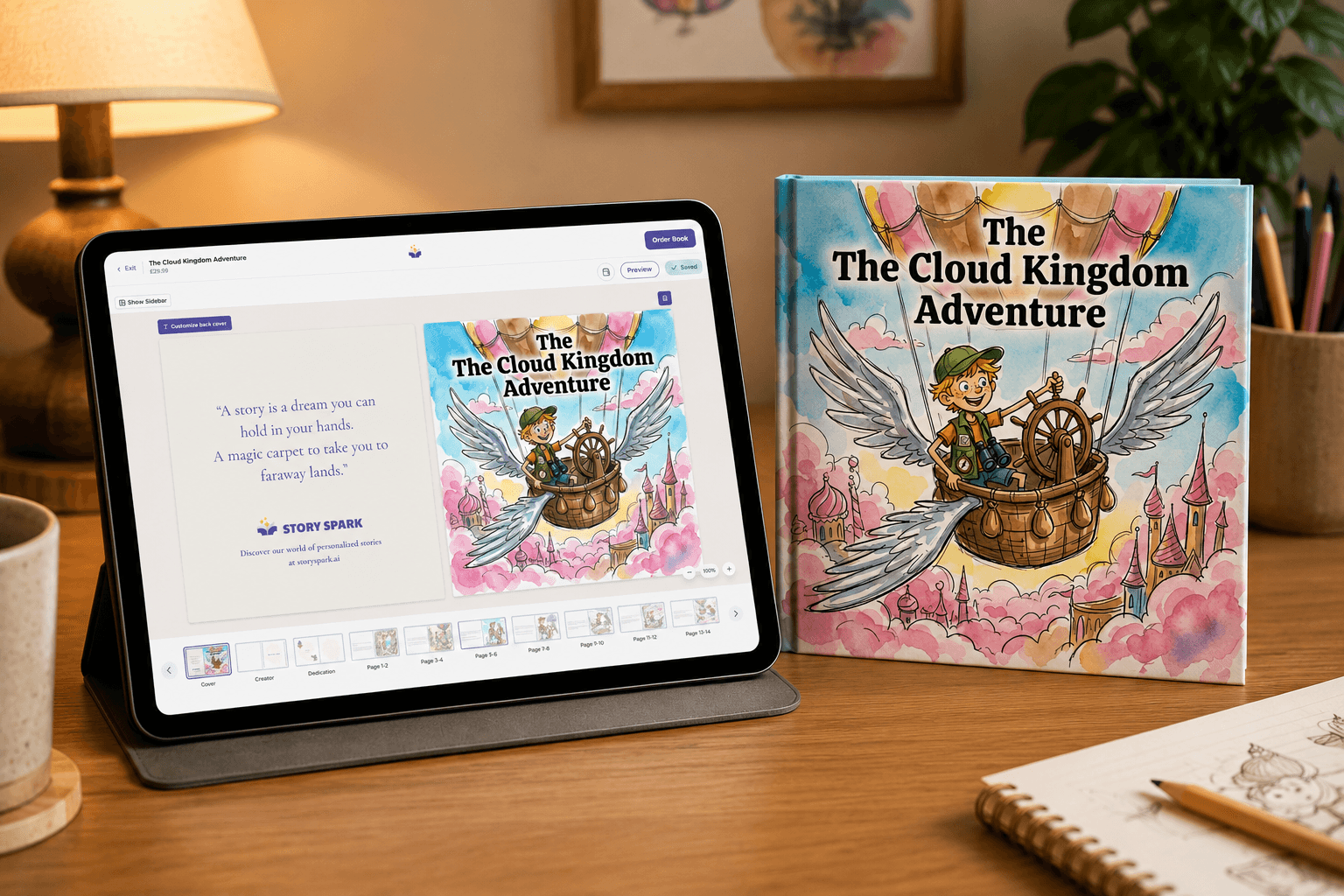
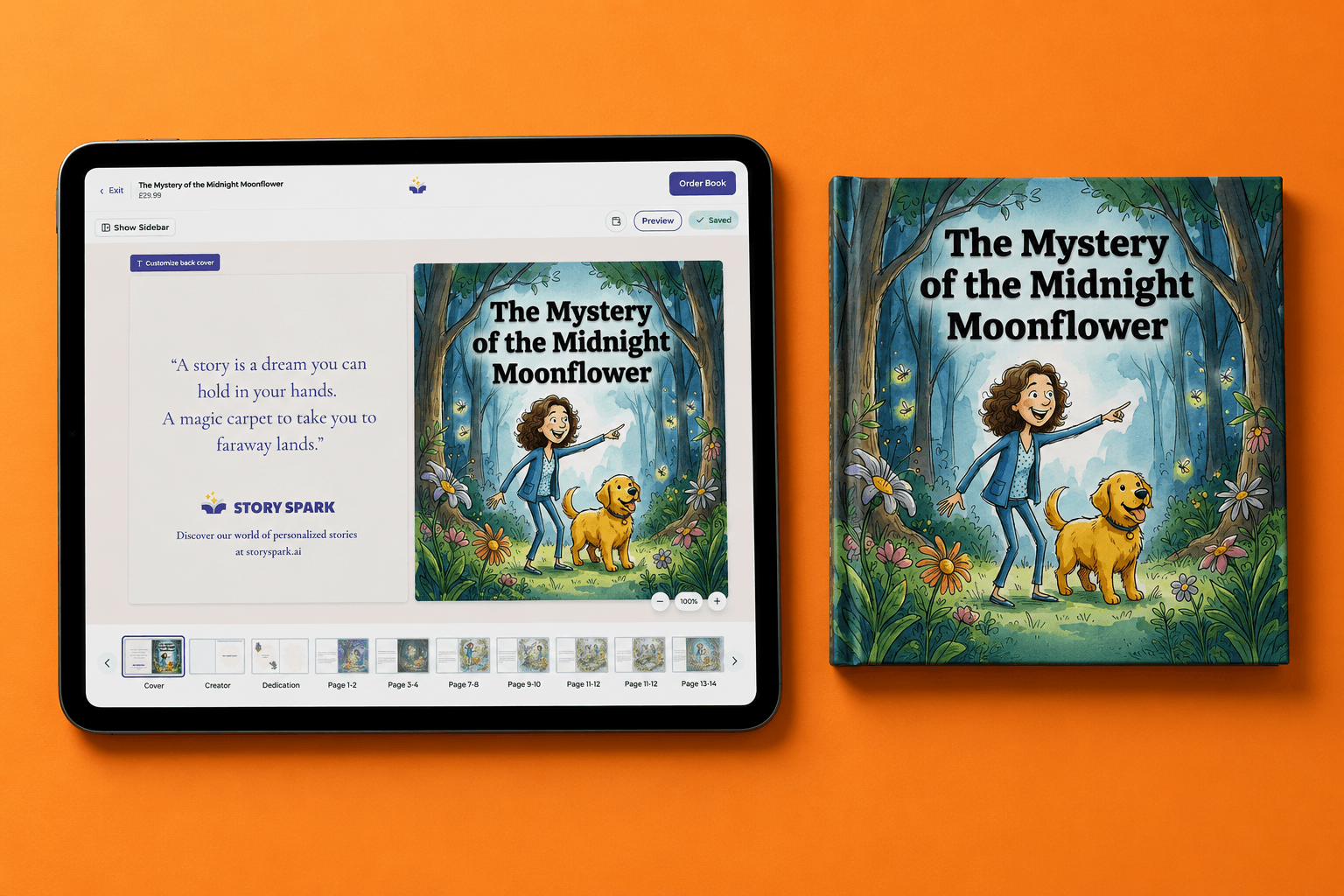
What we liked. Personalisation is the deepest of any tool we tested. You add your child's appearance, friends, favourite toys, the family pet, and the theme of the story — and Story Spark weaves all of it into a coherent narrative with stable, recognisable illustrations across every page. The reading-level slider is a small but powerful feature: the same story can be generated at "early reader" or "confident reader" length, which is gold for siblings of different ages.
Pricing. Free to use the book editors to make your own books. Paid plans begin at $9.99/month for unlimited stories, with printed hardcover books available as add-ons.
Pros. Best-in-class illustration consistency. Deep personalisation. Strong safety defaults. Fast — most stories generate in under two minutes. Lovely printed book option. Works on mobile and tablet without an app install.
Cons. The only free tier is a blank book editor where you can write and add your own images. All AI creations require a subscription.
If you want to go deeper into how this kind of tool can be used for younger children specifically, our guide to the AI story generator for kids breaks down age-appropriate prompts and reading-level settings.
2. StoryWizard.ai - Best Free Tier
StoryWizard.ai is the closest thing to a true competitor and is the right pick if free-tier generosity matters more to you than depth.
What we liked. A generous free tier (three full stories per month). Decent illustration quality and a clean interface that's easy for non-technical parents.
Pricing. Free tier as above; paid plans from roughly $7.99/month.
Pros. Free tier is genuinely usable, not crippled. Good range of story themes. Reasonable speed.
Cons. Personalisation stops at name and a single character trait. Illustration consistency drops noticeably after page 6 — characters drift. No print-to-book option.
3. Bedtimestory.ai - Best for Audio-First Families
If your child prefers being read to over reading themselves, Bedtimestory.ai's audio-first approach is the clearest fit.
What we liked
Natural-sounding AI narration with multiple voice options. Sleep-focused themes (calm, slow pacing, gentle endings).
Pricing. Free trial; paid plans from $6.99/month.
Pros. Excellent audio. Great selection of calming bedtime themes. Tidy mobile experience.
Cons. Visuals are an afterthought — most stories are audio-only with a single static image. Personalisation is limited.
4. Oscar Stories - Best for Multi-Language Households
Oscar Stories specialises in producing stories in dozens of languages, which makes it the right tool for bilingual families.
What we liked
Genuinely strong translations (we tested Spanish, French, Mandarin, and Polish). The side-by-side reading mode that shows two languages on the same spread is a clever touch.
Pricing. Free trial of one story; paid plans from $8/month.
Pros. Best multi-language support we tested. Useful for heritage-language teaching. Clean PDF export.
Cons. English-only stories aren't as illustrated as Story Spark's. Slower generation times. The interface feels dated.
5. Story.com - Best for Animated Story Videos
Story.com takes a different approach to most of the tools on this list: instead of producing an illustrated storybook, it generates short animated story videos with voiceover, music, and moving scenes.
What we liked
The video format is genuinely impressive — voice, music, and scene transitions all in one render. It's the easiest tool in this list for sharing a one-off story with relatives who don't have an account.
Pricing. Free tier with limits on length and watermarking; paid plans available for higher-resolution and longer-form videos.
Pros. Unique video output. Great for screen-time-conscious sharing with extended family. Fun for road trips or sick days when a watch-and-listen story works better than a read-along.
Cons. Personalisation is shallower than tools focused on character consistency. No printed book option — the output is a video, not a keepsake on the shelf. Less suitable for early-reader practice, where children need to see the words.
6. Once Upon a Bot - Best for Fast, No-Friction Stories
Once Upon a Bot is one of the original ChatGPT-era kids' story tools, and it's still around because the core experience is so simple: type a topic, get a story.
What we liked. Minimal setup, near-instant output, and a charming option that lets the child read each new paragraph as the AI generates it. Great for car rides and the awkward 20 minutes before dinner.
Pricing. Limited free use; small monthly paid tier for unlimited stories.
Pros. Lowest friction of any tool we tested. Genuinely fast. Kids enjoy the “what happens next?” turn-taking flow.
Cons. Illustrations are minimal or absent depending on plan. No printed-book option. Personalisation stops at character name and a couple of traits — nothing like the depth of Story Spark.
Why Story Spark Is the Best AI Story Generator
After testing all of the above with real families for several months, we kept coming back to Story Spark for one simple reason: it's the only tool that handled every common use case well - bedtime, gifts, classroom, multi-age siblings - without obvious weak spots.
The two specific moments that pushed Story Spark to the top of our list:
If you're choosing specifically between Story Spark and the open-source/template-based tools many people start with, our detailed Story Spark vs Book Creator comparison goes side-by-side on features and price. And if you eventually want to take a story all the way to a physical book you can sell or gift in volume, the self-publishing with AI book creator walkthrough covers the print-on-demand workflow end to end.