


More children's books are being published independently today than at any point in the history of the industry. What once required a literary agent, a publishing house, a professional book illustrator, and years of patience can now be completed in an afternoon using an AI book creator. This guide walks you through every step of the process, from developing your concept to uploading a finished file to Amazon, and includes honest cost comparisons so you know exactly what to expect. For a side-by-side look at how Story Spark compares to other tools in this space, start with our Story Spark vs Book Creator comparison.
Story Spark is free to try. Start building your children's book today and follow along as you read.
Why Self-Publishing a Children's Book Has Never Been More Accessible
The children's book market is both large and growing. Amazon KDP reported that independent authors earned over $500 million in royalties in 2023, and children's books consistently rank among the top-selling print categories on the platform.
Traditional publishing makes entry difficult for first-time authors. Literary agents typically accept fewer than 2% of picture book submissions, and even authors who secure a deal commonly wait two to four years before their book appears on a shelf.
Self-publishing removes both of those barriers. You keep full creative control over your story, your artwork, and your pricing. And with an AI book creator handling the writing and illustration, the technical skill requirements that once made self-publishing feel out of reach have largely disappeared.
Step 1: Develop Your Concept Before You Open Any Tool
Every successful children's book starts with a clear concept, and the time you invest here shapes everything that follows. Before opening any platform, answer three questions: Who is your reader? What does your story give them emotionally or intellectually? And what makes your story different from the thousands already on the same shelf?
Children's books are typically grouped by age band. Board books target ages zero to two; picture books serve ages three to seven; early readers cover ages five to eight; and middle grade fiction targets ages eight to twelve. Picture books are the most popular category for first-time self-publishers and typically run between 500 and 1,000 words with one illustration per page spread.
Strong concepts are usually simple: a child who is afraid of the dark and finds courage, a dog who wants to run in the school sports day, or a grandmother who teaches her granddaughter to bake bread. The simpler the premise, the more room there is for character, emotion, and illustration to carry the story.
Spend at least one full day on your concept before moving to the writing stage. Authors who skip this step often find themselves rewriting from scratch after the book is half built.
Step 2: Use an AI Story Generator and Book Creator to Write Your Draft
An AI story generator does not replace your creative input. It accelerates it. You bring the concept, the characters, and the emotional tone; the AI handles the initial draft so you are not facing a blank page.
Story Spark's built-in AI story generator works from a prompt you write in plain language. Describe your main character, the setting, and what happens in the story, and the generator produces a complete draft in under two minutes. You then edit, reshape, and refine the text until it reflects exactly what you want to say. You control every word.
Research published by the Authors Guild suggests that first drafts written with AI assistance take an average of 60% less time to complete than traditional first drafts, with no measurable difference in finished quality after editing. The key is to treat the AI output as a starting point rather than a finished product.
For a deeper look at prompting techniques and editing strategies for AI-generated children's stories, our AI storybook creator guide covers what to look for and how to get the best results from each type of platform.
Step 3: Illustrate Your Book with AI
Illustration is the step where most aspiring children's book authors get stuck. Hiring a professional book illustrator typically costs between $2,000 and $15,000 for a complete picture book, and the process takes months. For a self-publisher working with a limited budget, illustration costs alone can make the whole project feel impossible.
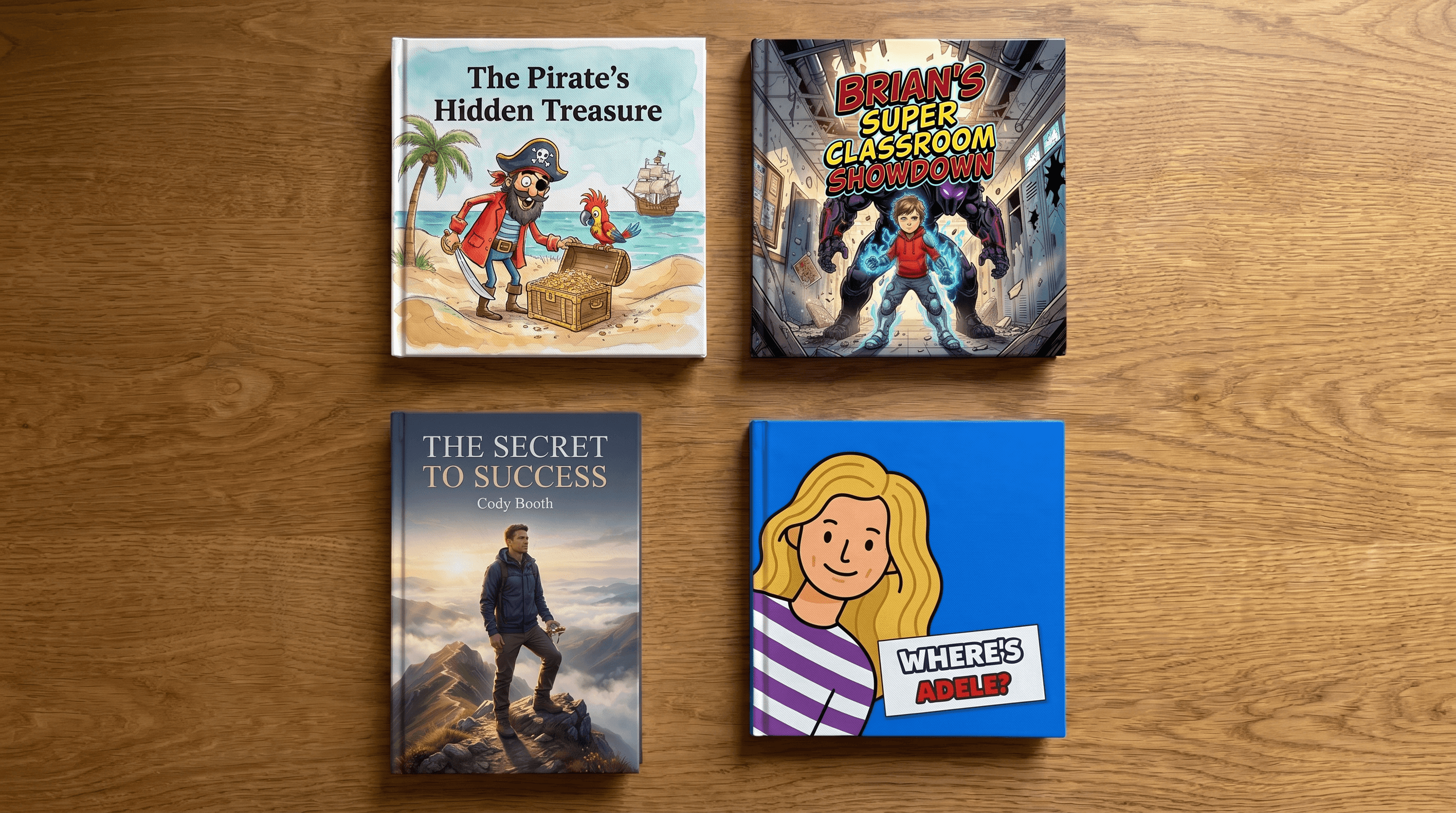
Story Spark removes this barrier entirely. Choose from more than ten professional illustration styles, including watercolour, cartoon, anime, Pixar-inspired, Studio Ghibli, comic book, and pixel art. The AI applies your chosen style consistently to every page of your book. The character who appears on page one looks identical on page eight, page sixteen, and the final spread.
You can also upload a photo to generate a custom illustrated character based on a real person. This is particularly popular for personalised books where the child reading the story appears as the main character. For a full breakdown of how AI illustration compares to working with a traditional book illustrator, see our post on AI illustration for children's books.
Step 4: Edit and Refine Your Book
The editing stage is where your book becomes truly yours. Read every page aloud. Children's books have a rhythm that is most obvious when spoken, and problems that look fine on screen often become clear the moment you hear them out loud.
Check your text for the following: Are your sentences short enough for your target age group? Picture books aim for an average of under ten words per sentence, and every page should give the reader a reason to turn to the next one. Look for a clear story arc with a beginning, a moment of tension or discovery, and a satisfying end.
For illustrations, review every page for character consistency and check that the artwork reflects what the text describes, especially in emotionally significant scenes. Story Spark lets you regenerate individual illustrations before you finalise the book if anything does not look right.
Budget time for at least two complete read-throughs before sending your book to print. This step separates a polished self-published book from one that readers notice for the wrong reasons.
Step 5: Format Your Book for Print
Before uploading to a self-publishing platform, your book file needs to meet specific technical requirements. Amazon KDP requires PDF files with correct trim sizes, bleed settings, and minimum image resolution. Getting any of these wrong can cause your print proof to arrive with cropped images, incorrect margins, or unexpected colour shifts.
Story Spark handles the formatting automatically. The platform generates print-ready PDF export files that meet KDP's technical specifications, including correct margins, bleed areas, and image resolution. You download the finished file and upload it directly to KDP without needing to open InDesign, Photoshop, or any other design software.
Story Spark storybooks are produced at 21 x 21 cm, which matches KDP's square trim size option. If you plan to publish through Lulu or IngramSpark instead, Story Spark's export files are compatible with the standard print requirements those platforms use as well.
Step 6: Upload to Amazon KDP and Publish
Amazon KDP is free to use. You create an account, enter your book's title, description, and author name, upload your print-ready PDF, and choose your pricing and distribution settings. The full upload process takes around 30 minutes once your files are ready.
KDP offers two royalty structures for print books. The standard option gives you 60% of the list price minus the printing cost. The expanded distribution option gives you 40% of the list price in exchange for broader retail reach. A full-colour children's picture book priced at $14.99 typically earns the author between $3 and $6 per copy after printing costs, depending on page count and distribution choice.
Once you approve a print proof and make your book publicly available, it appears on Amazon within 72 hours. The proof copy option lets you review the physical book before it goes on sale, which is worth doing to check print quality before your readers see it.
The Real Cost: Traditional Publishing vs Story Spark
It is worth being clear about the financial reality of each publishing path.
Traditional publishing costs the author nothing upfront if you are accepted. You typically receive an advance of $5,000 to $15,000 and earn royalties of between 5% and 10% of the cover price. In exchange, you give up creative control over your story and artwork, and you wait two to four years for publication.
Hiring a freelance book illustrator and self-publishing through KDP costs between $2,000 and $15,000 upfront for illustration alone, plus editing, formatting, and ISBN registration. Total costs for a professional result can reach $20,000 before a single copy is sold.
Using Story Spark as your AI book creator reduces the entire process to the cost of a Story Spark subscription (free to start, or $9.99 to $39.99 per month for paid plans) plus any print copies you order. Your KDP listing is free to set up, you keep full creative control, and your book can be live on Amazon within a week of starting.
Frequently Asked Questions
Do I need writing experience to self-publish a children's book?
No. Story Spark's AI story generator produces a complete draft from a plain-language prompt you write yourself. Most users with no previous writing experience complete a polished picture book text in one to two hours. You edit every word before the book goes to print, so the final result reflects your voice rather than a template.
Can I sell a children's book made with an AI book creator on Amazon?
Yes. Amazon KDP accepts self-published children's books from independent authors, including those created with AI tools. When you use Story Spark to create your book, you own the rights to the finished work and can list it for sale on Amazon, distribute it through other retailers, or keep it for personal use.
How long does it take to go from idea to a live Amazon listing?
With Story Spark, writing and illustrating your book typically takes one afternoon to a full working day. Once you upload your files to KDP, your book goes live on Amazon within 72 hours. From first idea to live listing, most first-time authors complete the full process in under one week.
What size should a self-published children's picture book be?
Story Spark produces books at 21 x 21 cm, which maps to a square trim size compatible with KDP's standard print options. This is one of the most common sizes for children's picture books and works well across age groups. You do not need to manage dimensions manually, as Story Spark's export files include the correct specifications automatically.
Can I create a children's book series with Story Spark?
Yes. Story Spark supports series creation by letting you save and reuse character designs across multiple books. If you want to publish a series on Amazon, you can register your series name in KDP and link each volume to your author page. The Creator plan ($39.99/month) provides the extended page counts and export options best suited to ongoing series production.
Your Published Book Is Closer Than You Think
Ten years ago, self-publishing a professionally illustrated children's book required a team of people and a budget most writers do not have. Today, a single platform handles the writing, illustration, formatting, and print delivery, and your book can be live on Amazon within a week of starting.
The biggest obstacle for most aspiring authors is simply beginning. Story Spark is free to try, and your first story can be written and illustrated in under an hour. Start building your children's book today and see how quickly your idea becomes something real. Try free, and export or self-publish anytime.
Related reading:
- What Is A Book Illustrator?
- Story Spark vs Book Creator: which children's book tool is right for you?
- The Best AI Story Generator
Written by the Story Spark Team. Story Spark is an AI-powered platform for creating, illustrating, and printing your own books.