

When you search for a children's book creator, two names appear more than almost any other: Story Spark and Book Creator. Both platforms let you build illustrated books, but they are built for very different purposes. One is a classroom publishing tool designed around student projects and digital output; the other is an AI-powered platform that takes your story from first idea to a printed hardcover delivered to your door. If you want a quick hands-on test first, try Story Spark free before reading on, then come back for the full breakdown.
This post covers what each platform does well, where each falls short, and which book creator is the right choice depending on your goal.
What Is a Children's Book Creator?
A book creator is any platform that simplifies the process of writing, illustrating, and publishing a book. The category has expanded significantly in recent years, driven by AI tools that can generate story text, create original artwork, and handle page layout automatically.
The best tools in this space remove the technical barriers that once stood between a story idea and a finished product. You do not need graphic design skills, a writing background, or a large publishing budget to get started. You need a concept, the right platform, and a few hours.
Story Spark and Book Creator are the two most-searched options in this category. They share a name but serve entirely different audiences, and choosing the wrong one can leave you with a result that does not match what you were trying to make.
What Is Book Creator?
Book Creator is a browser-based platform designed primarily for classroom use. It allows teachers and students to create digital multimedia books that combine text, images, audio recordings, and video. First launched in 2011, it has been adopted by millions of students in schools across the UK, the United States, and Australia.
The platform's educational credentials are strong. Teachers can set up class libraries, assign book-making projects to individual students or groups, and monitor progress through a well-organised dashboard. Book Creator works on tablets, Chromebooks, and desktop browsers, making it compatible with most school technology setups.
The free plan supports up to 40 books per library, which is generous enough for classroom use. Book Creator is widely praised for its clean interface, which lets even young children start creating books within a few minutes of first logging in.
There are real limitations for personal use, though. Book Creator does not include AI-generated text or illustration tools. The finished output is a digital book, not a physical one. And the platform is designed around student creation rather than professional-quality publishing.
What Is Story Spark?
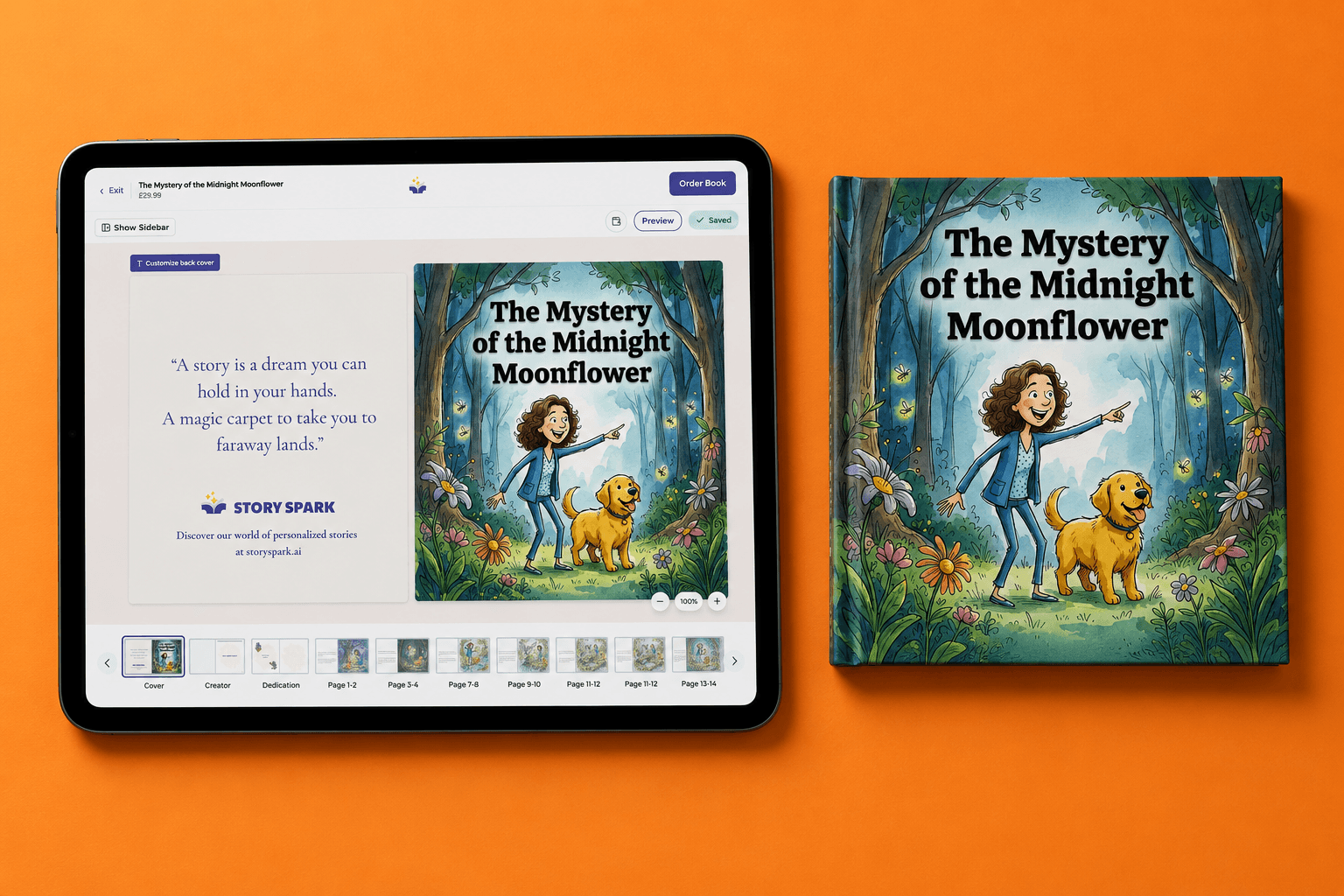
Story Spark is an AI-powered book creator built for parents, aspiring children's book authors, and educators who want professionally produced materials. It takes a story idea and transforms it into a fully illustrated, print-ready hardcover. More than 200,000 creators have used Story Spark to publish books ranging from personalised birthday gifts to full children's series.
The creation workflow is simple. You describe your story and its characters, choose from a range of illustration styles (including watercolour, cartoon, anime, Pixar-inspired, Studio Ghibli, comic book, and pixel art), and Story Spark's AI generates both the story text and the artwork. Characters stay visually consistent across every page of the book, which is one of the hardest challenges to solve when working with illustrators manually.
Story Spark also lets you upload a photo of a real person to generate a custom illustrated character based on that image. Children can become the hero of their own personalised story. Once your book is ready, Story Spark prints it as a professional hardcover and ships it within five business days to customers in the US, UK, Australia, Canada, and several other countries.
For authors interested in wider distribution, Story Spark also produces branding-free export files suitable for upload to Amazon KDP and other self-publishing platforms. You can read more about that process in our guide to self-publishing a children's book with an AI book creator.
AI Illustration: The Feature That Changes Everything
For most parents and aspiring authors, illustration is the biggest challenge in children's book creation. Professional book illustrators typically charge between $2,000 and $15,000 for a complete picture book, and the process can take six months or longer. Sourcing stock images or drawing your own artwork produces results that rarely look consistent or professional.
Book Creator takes a self-service approach to illustration. You import your own images from a camera roll, search for Creative Commons photos, or draw directly in the app using a touch screen. There is no native AI illustration feature.
For students drawing their own pictures as part of a classroom project, this works well. For anyone hoping to produce a book that looks like it was professionally illustrated, the skills and time required are significant.
Story Spark works differently. The AI illustration engine generates original artwork for every page, applied consistently in the visual style you chose at the start. If you selected watercolour for your story about a lost cloud, every page looks like it was painted by the same artist, using the same palette, in the same style from cover to cover.
This is the single biggest functional difference between the two platforms. For most parents, gift buyers, and aspiring authors, it is also the deciding factor.
Story Spark vs Book Creator for Educators
Both platforms have genuine value in educational settings, but they suit different teaching goals. Book Creator is built specifically for classroom publishing projects. Its teacher dashboard lets you manage multiple class groups, assign individual or collaborative work, and view every student's book in one shared library. It is well-suited to literacy projects where students write and illustrate their own books as a learning activity.
Story Spark suits educators who want to create ready-made teaching materials or highly personalised reading resources. A teacher could use Story Spark to create a custom storybook for a child who is reluctant to read, featuring a character who looks like that student, with a narrative built around their specific interests. Research from the UK's National Literacy Trust suggests that children who have access to books they find personally relevant read for pleasure more regularly than those given generic materials.
Story Spark books can also be physically printed and brought into the classroom, which Book Creator cannot match without involving a third-party printer. For a deeper look at how to use AI tools to create educational materials, see our complete guide to AI storybook creators.
If your educational goal is running student publishing projects where children create the books, Book Creator is the more practical classroom tool. If your goal is producing professionally made books for students to read and engage with, Story Spark is better equipped for the job.
Story Spark vs Book Creator for Parents and Aspiring Authors
For anyone outside a school setting, Story Spark is the more capable platform by a wide margin. Parents who want to create a personalised bedtime story featuring their child as the hero, grandparents looking for a meaningful gift, and aspiring authors wanting to publish a children's series will all find Story Spark better suited to their goals.
Book Creator was not designed for this audience. It lacks AI writing assistance, AI illustration, and physical print delivery, all of which are central to what personal users need. Using Book Creator to produce a gift-quality picture book would require significant design skill, external image sourcing, and a separate print service.
Story Spark's AI story generator removes the blank-page problem entirely. You describe the story you want and the platform generates a complete narrative with vocabulary appropriate for your chosen age group. You review and edit every line before illustrating and printing. The finished product reflects your creative vision, not a generic template.
For a broader look at which AI tools produce the best results for children's stories, see our roundup of the best AI story generators in 2026.
Pricing: What Does Each Platform Cost?
Story Spark offers a free plan with access to core creation tools, making it straightforward to test the platform without committing. Paid plans include the Dreamer plan at $9.99 per month (or $89.99 per year) and the Creator plan at $39.99 per month (or $359.99 per year). Physical books are charged separately at the time of order.
Book Creator's individual free plan covers up to 40 books. Individual paid plans are available at around $4.99 per month, though the platform's pricing model is built primarily around school and district licences purchased in volume for institutional use.
For individual creators building books for personal or publishing purposes, Story Spark's pricing is clear and well-designed for regular use. For schools running large-scale student publishing programmes across many classrooms, Book Creator's institutional licensing may offer better per-student value.
Frequently Asked Questions
Is Story Spark better than Book Creator for making children's books?
For most individual users, yes. If you want AI-generated illustration, physical print delivery, and a finished book that looks professionally published, Story Spark is the stronger children's book creator. Book Creator is better suited to classroom environments where students are the creators and the output stays digital.
Can I create a book online for free with both platforms?
Both platforms offer free plans that let you start creating without entering payment details. Story Spark's free plan gives you access to the book creation editor. Book Creator's free plan supports up to 40 digital books. You can explore Story Spark's free features.
Does Book Creator have an AI story generator?
As of 2026, Book Creator does not include a native AI story generator or AI illustration tool. You write and illustrate your own content or import existing images. Story Spark includes both an AI writing tool and an AI illustration engine as core platform features.
Which children's book creator is better for gift-giving?
Story Spark is the clear choice for personalised gifts. The photo-to-character feature lets you create a book featuring a real child as the main character, and the physical hardcover printing means the finished gift arrives as a printed book rather than a digital file. Story Spark ships within five business days.
Can I use Story Spark to self-publish a children's book on Amazon?
Yes. Story Spark produces branding-free export files suitable for upload to Amazon KDP, Lulu, and IngramSpark. You own the rights to the finished book you create. For a full walkthrough of the self-publishing process, see our guide to self-publishing a children's book with an AI book creator.
The Verdict
Story Spark and Book Creator are both well-made platforms, but they solve very different problems. Book Creator is a reliable digital publishing tool for schools, with strong classroom management features and a student-friendly interface. Story Spark is the better choice for parents, gift buyers, and aspiring authors who want AI-powered illustration, professional print delivery, and a finished book that feels like it came from a publishing house.
If your goal is to create a beautiful, printed children's book from a standing start, without illustration experience or a large budget, Story Spark is built for exactly that.
Related reading:
Story Spark is a book creation platform trusted by over 200,000 creators. We make personalised, illustrated hardcover books for all occasions and purposes.