

The phrase "book creator" now covers everything from classroom multimedia apps to AI-powered illustrated storybook generators to professional self-publishing software. They are not the same product, and they are absolutely not interchangeable.
So we spent the past few months testing seven of the most popular book creator tools with real families, real classrooms, and real print orders, then ranked them by what actually matters when you sit down to make a book your child will love. Story Spark came out on top for parents in 2026, but the right tool for you depends on what you're trying to make. Story Spark makes the whole process simple - try it free and see what's possible in under ten minutes.
This guide walks through how each book creator stacks up, who each one is best for, what they cost, and where they fall short. If you want a broader foundation before diving in, our complete storybook creator covers the underlying technology and the buying decisions that matter most.
The Short Answer: Which Book Creator Should You Choose?
If you're scanning, here's the verdict. For most parents and gift-givers, Story Spark is the best book creator in 2026. It produces the highest-quality personalised children's books with the least effort, and the printed editions are genuinely shelf-worthy.
Story Spark - Best Overall
#1The strongest personalised children's book workflow for most families.
Book Creator - Best for Classrooms
The right pick for multimedia student-authored books.
StoryJumper - Best Community
A useful writing and reading community for older children.
Book Creator is the right pick if you are a teacher building multimedia books with a class, and StoryJumper is a strong community-driven alternative for older children writing their own stories. BookBildr is a solid printed-keepsake option without AI illustration, while Canva is the go-to if you already love its template ecosystem.
Blurb's BookWright is the choice for parents who want full self-publishing control. Everything else we tested either felt dated or underdelivered on the finished product. Let's get into the detail.
How We Tested Each Book Creator
We didn't just sign up and screenshot the marketing pages. Each platform was used by three test families and two primary-school teachers over 20 book-creation sessions per tool. We scored every book creator on six dimensions that matter when you're actually trying to finish a book and put it in a child's hands.
Time-to-first-book
From sign-up to a finished, exportable book. How long does it actually take? Tools that promise "create a book in minutes" often do not survive contact with reality.
Personalisation depth
Can you genuinely make the book about your child (name, appearance, friends, pet, hobbies) or are you stuck with stock characters and a name-replace field?
Illustration or template quality
For AI book creators, this is about character consistency and visual style. For template-based tools, it is about whether the templates look like a 2026 children's book or a 2008 photo album.
Print quality
We ordered the same book from every platform that offered print-on-demand. We checked paper weight, colour accuracy, cover finish, and binding. Around 1 in 3 print-on-demand kids' books we receive feel cheaper than expected, so this matters.
Pricing transparency
Do you understand what you are paying before you reach checkout? Hidden per-page fees and surprise shipping costs are a common complaint.
Safeguards for children
Content controls, age settings, and whether the tool's AI, where present, is appropriate for child-facing use.
1. Story Spark - best book creator overall
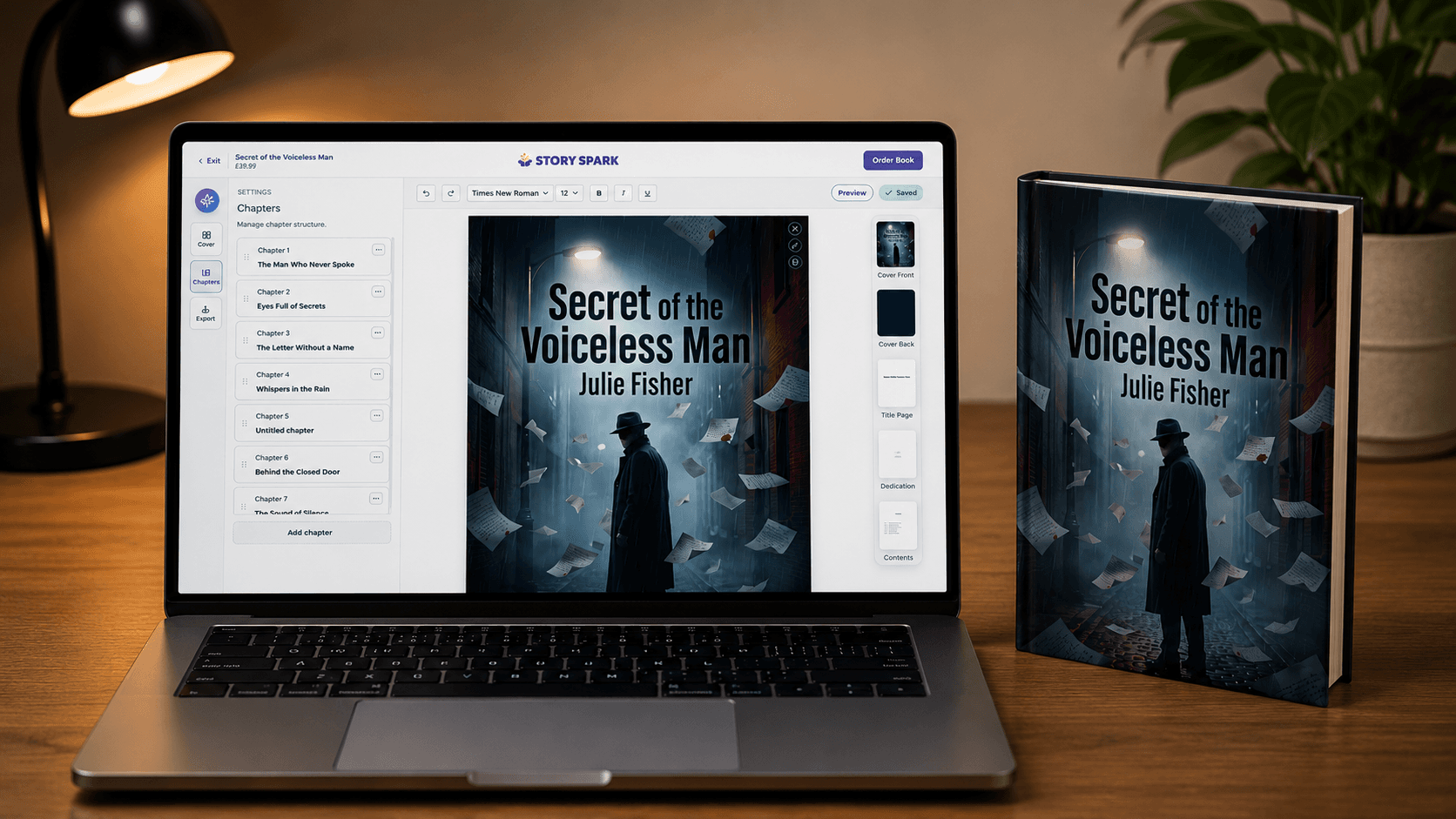
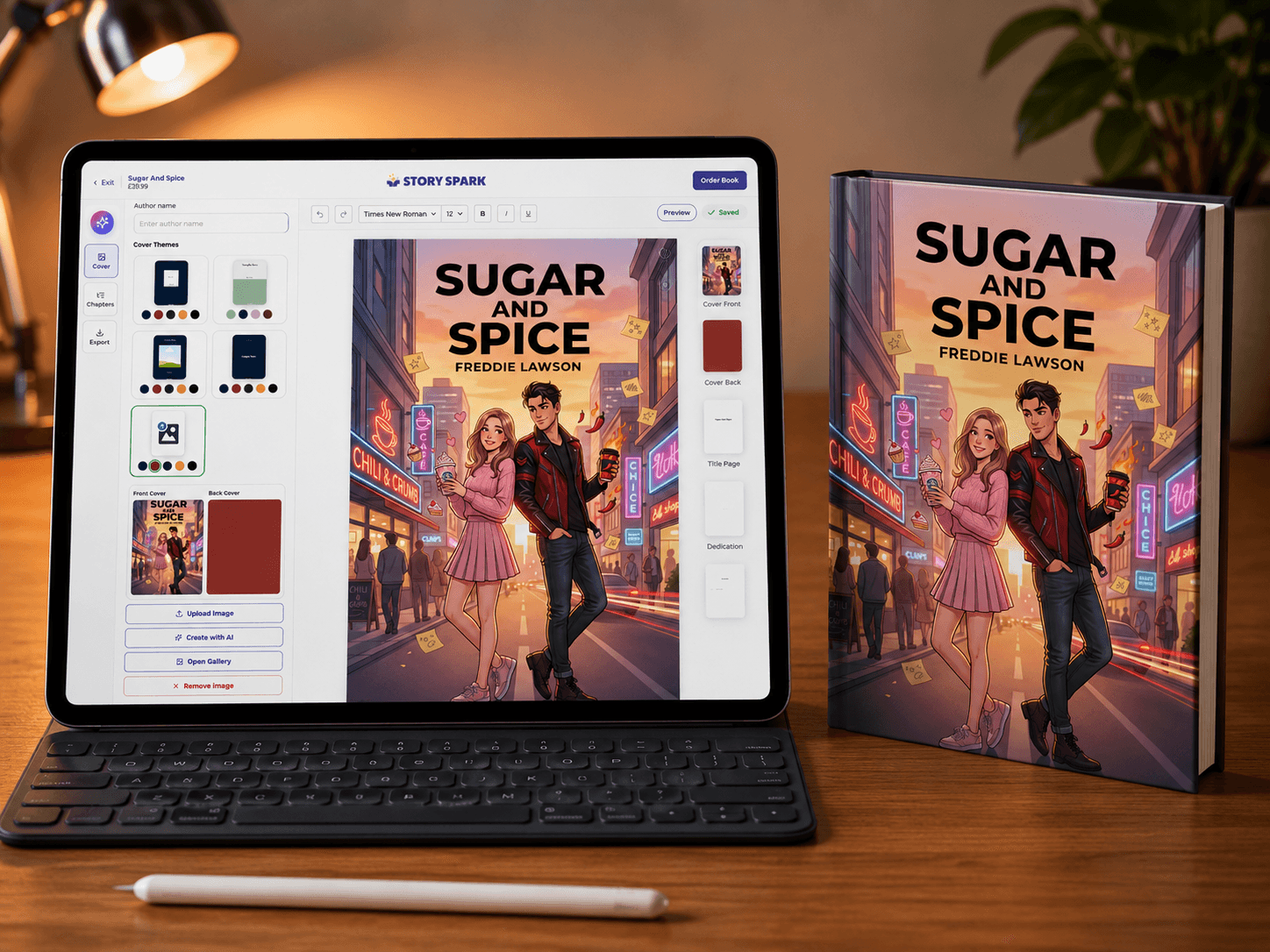
Story Spark is built specifically for children's books, with AI that handles writing and illustration in a single workflow. It is the only tool in this list designed end-to-end for the "personalised illustrated story" use case.
What we liked. Personalisation is the deepest of any book creator we tested. You add your child's appearance, family members, the pet, the theme, and the lesson you're working on. Story Spark weaves it all into a coherent story with stable, recognisable illustrations across every spread. The reading-level slider is a thoughtful detail: the same book can be generated at "early reader" or "confident reader" length, which is useful for siblings.
Pricing. Free to start your book. Paid plans begin at $9.99/month for AI book creations, with hardcover print-on-demand available as add-ons.
Pros. Best-in-class illustration consistency. Deep personalisation. Strong safety defaults. Fast generation with most books generate in under three minutes. Excellent printed hardcover quality.
Cons. Less suited to multimedia than Book Creator. No free unlimited tier. The interface is opinionated - there's a "right way" to build, which is great for beginners and slightly limiting for power users.
If you want to take a finished Story Spark book all the way to a published title, our walkthrough on self-publishing with an AI book creator covers the print-on-demand and listing workflow end to end.
2. Book Creator (bookcreator.com) - best for classrooms
Book Creator is the long-standing favourite in primary classrooms, and for good reason. It is a multimedia book-building canvas designed for students and teachers, not a personalised-storybook generator.
What we liked
Outstanding classroom features: free libraries for teachers, real-time collaboration, and the ability to embed audio narration, video, and student drawings into the page. Books export as ePub or PDF.
Pricing. Free tier for teachers with up to 40 books per library. Paid plans for unlimited use and additional libraries.
Pros. Best-in-class for classroom and student-authored books. Strong accessibility features. No AI required, gives teachers full creative control.
Cons. No built-in AI illustration or story generation so you bring your own content. Not designed for personalised gift-style books. Output quality depends heavily on the user's design skill. If you are choosing specifically between Story Spark and this app for a personalised children's book, our head-to-head Story Spark vs Book Creator comparison walks through the differences feature by feature.
3. StoryJumper - best community-driven book creator
StoryJumper has been around since the early 2010s and has built a large library of community-created children's books. It is part book creator, part publishing platform, part reading community.
What we liked
The community library is genuinely useful - there are thousands of free, kid-written books to read on the platform. The book-creation UI is approachable for older children.
Pricing. Free to create books online; paid for hardcover printing.
Pros. Big community library. Encourages writing as well as reading. Reasonable hardcover print option.
Cons. Templates and illustration assets feel dated. Not designed for parent-led personalised books, it is more "kid-as-author". Limited AI assistance.
4. BookBildr - best for printed personalised keepsakes (no AI)
BookBildr is a print-focused personalised book service that has been in the market for years. There is no AI illustration. Instead, you choose from a curated set of professionally illustrated templates and personalise the main character.
What we liked
The print quality is consistently good. The illustrator-drawn templates look polished, and the character personalisation (skin tone, hair, glasses, etc.) is more refined than most AI tools managed two years ago.
Pricing. No subscription - pay per printed book.
Pros. Real illustrator-drawn art. Reliable print quality. No subscription pressure.
Cons. Limited to the templates available. Personalisation stops at appearance and name, the story itself does not change. Slower than AI book creators. Mostly designed for one-off gifts rather than building a routine of stories.
5. Canva - best for parents already using Canva
If you already live in Canva for other projects, you can absolutely make a children's book in it. Canva is not a children's book creator specifically; it is a general-purpose design tool with book templates available.
What we liked
Total layout flexibility. Massive image and illustration library. Magic Write and Magic Media for AI text and image generation are now genuinely useful for kids' book pages.
Pricing. Free tier is generous; Canva Pro is around $13/month and unlocks the assets most book projects need.
Pros. Maximum flexibility. Reuses skills you already have. Strong AI features inside the broader Canva toolkit.
Cons. Steep cliff if you have never used Canva as it is not a book-first product. No native print-to-book pipeline (you export PDF and use a separate printer). No story-writing assistance designed for children's narratives.
6. Blurb (BookWright) - best for full self-publishing control
Blurb's BookWright software, paired with Blurb's print-on-demand infrastructure, is what serious self-publishers reach for. It is overkill for a one-off gift book - but it is exactly right if you want to actually sell the book afterwards.
What we liked. Print quality is excellent. The pipeline from finished file to Amazon and the Blurb bookstore is mature and well-documented. Pricing is transparent per-book.
Pricing. Free software; pay per printed book or per listing.
Pros. Pro-grade print output. Real publishing distribution. No subscription.
Cons. Desktop software with a learning curve. No AI writing or illustration help. You arrive with your manuscript and art already done and BookWright lays it out.
7. Story Spark, revisited - why it's our overall winner
After several months of side-by-side testing, we kept coming back to Story Spark for one simple reason: it's the only book creator that handled every common use case like bedtime story, birthday gift, classroom illustration, multi-age siblings, without obvious weak spots.
Three specific moments pushed Story Spark to the top:
If you're more focused on the writing side than the design side, our broader guide to creating a children's book online covers the storytelling fundamentals that apply across every tool in this list. And if you want a roundup that's specifically focused on the AI side rather than the broader book-creator category, our best AI story generators of 2026 post is the natural companion to this one.
Frequently Asked Questions
Last updated: We re-test and re-rank every tool in this list annually. If you're a tool maker and would like us to consider your platform in the next update, get in touch.