


Type "AI story generator for kids" into any search engine and you'll get dozens of results in seconds. Some generate a story in your browser and forget it the moment you close the tab. Others turn that story into a book your child will still be pulling off the shelf in five years. The difference isn't obvious from the homepage, which is exactly why so many parents end up trying two or three tools before finding one that fits. This guide walks through what actually matters, using our own AI storybook creator guide as a starting reference point for how these tools generally work.
What Is an AI Story Generator for Kids?
An AI story generator for kids is a tool that uses artificial intelligence to write — and often illustrate — a children's story based on details you provide, such as your child's name, age, interests, or a photo. You describe the story in a sentence or two, and the tool drafts the text, sometimes with matching artwork, in a matter of minutes.
That's where the similarities between tools end. Some are built as quick novelty generators for a laugh or a one-off bedtime story. Others are built as full book creators, with editing tools, character consistency across pages, and the option to print a real hardcover. Knowing which category a tool falls into is the first filter, before you even look at features.
It also helps to know what's happening technically, even at a basic level. Most tools work in two stages: a language model drafts the story text based on the details you give it, then a separate image model generates matching illustrations. Some platforms run these as one smooth, guided process. Others bolt a generic AI writer onto a generic image tool, and the seams show — mismatched art styles, characters who look different from page to page, or text that ignores the age you specified. A few minutes testing the free tier of any tool will usually reveal which category it falls into.
Why "Right for Your Child" Beats "Best Overall"
Roundup articles love naming a single "best" AI story generator, but the honest answer is that the best one depends on what you're trying to do. A grandparent building a keepsake gift has different priorities than a teacher generating a reading-level story for one student. A parent managing a child's dyslexia has different priorities than someone printing a fun birthday surprise.
Think about it the way you'd think about choosing a school or a pair of shoes: the "best" one in a magazine ranking might be completely wrong for your child's actual feet. The same logic applies here. A tool with stunning illustrations but no accessibility settings isn't the right choice for a family managing ADHD or sensory sensitivities, no matter how many five-star reviews it has. A tool built for speed isn't the right choice if what you actually want is a printed keepsake that lasts.
Rather than chasing a ranking, it helps to work from a checklist of what the tool needs to get right for your specific child and occasion. That's what the rest of this guide covers.
8 Things to Check Before You Choose an AI Story Generator for Kids
Run any tool you're considering through these eight questions before you commit time — or a subscription — to it.
Any tool generating stories for children should have clear, stated safeguards around language, themes, and imagery. If a platform doesn't mention how it keeps output age-appropriate, treat that as a gap, not an oversight.
2. How deep does the personalization go? A name dropped into a template is personalization in name only. Look for tools that let you build a character from a photo, add personality details, and carry that character consistently across every page and every future story — not just the first one.
3. Does it adapt to your child's actual age and reading level? A story for a three-year-old and a story for a nine-year-old shouldn't read the same. The stronger tools let you set an age or reading level and adjust vocabulary, sentence length, and pacing accordingly, rather than generating one generic version for everyone.
4. What do the illustrations actually look like? Illustration style is subjective, but consistency isn't. Check whether a character's appearance holds steady from page one to page twenty, and whether you get any say over the art style, rather than being locked into whatever the tool defaults to.
5. Can you edit before anything is final? A first draft from any AI tool is a starting point, not a finished product. You should be able to review and tweak text and images before a book is printed or shared, not just accept whatever comes out first.
6. Does it support accessibility and additional needs? If your child has dyslexia, ADHD, autism, or another learning difference, features like adjustable fonts, formatting options, and audio narration aren't extras — they're what determines whether the tool works for your family at all.
7. What happens to the finished story? Some tools only let you read on-screen. Others let you export a PDF, or print an actual hardcover book that ships to your door. Decide upfront whether you want a keepsake object or a quick digital story, because not every tool offers both.
8. Is the pricing actually transparent? Look for clear information on what's free, what requires a subscription, and what a printed book costs on top of that. A tool that hides its pricing until checkout is a tool that's hoping you won't compare it to the alternatives.
Matching the Tool to How Your Family Will Use It
The right choice often comes down to occasion as much as features.
For bedtime. You want speed, a calming tone, and a tool that won't wake anyone up with a complicated interface at 8pm. Our guide to making the best bedtime stories covers what to look for specifically for that nightly routine.
For a gift. Look for a tool that produces something a child can hold — a printed keepsake outlasts a digital file that gets lost in a folder. We've written more on why personalized books make such meaningful gifts for kids, including what separates a thoughtful one from a generic one.
For the classroom. Teachers have different needs again — curriculum alignment, multiple students, and time constraints. We covered how teachers are already using AI story generators in the classroom if that's your use case.
For a child with learning differences. Formatting, pacing, and font choices matter more here than almost anywhere else. Our piece on supporting children with learning differences through storytelling goes into the specific features worth prioritizing.
Red Flags Worth Walking Away From
A few warning signs are worth watching for as you compare tools. No visible information about how the platform handles children's data or personal photos is one — if you can't find a privacy policy within a couple of clicks, assume there isn't a clear one. Stock, cartoonish illustrations that look identical across every story is another red flag; it usually signals templated art rather than genuine AI generation, and it means your child's story will look the same as everyone else's.
Watch too for pricing that only appears after you've already created an account and started a story, and for platforms with no way to preview or edit before anything is finalized — that combination often means you're one click away from a charge you didn't fully see coming. A tool with no visible way to contact support, or reviews that mention difficulty cancelling a subscription, is also worth a second look before you hand over payment details. None of these are dealbreakers on their own, but two or three together are a reasonable reason to keep looking.
Where Story Spark Fits In
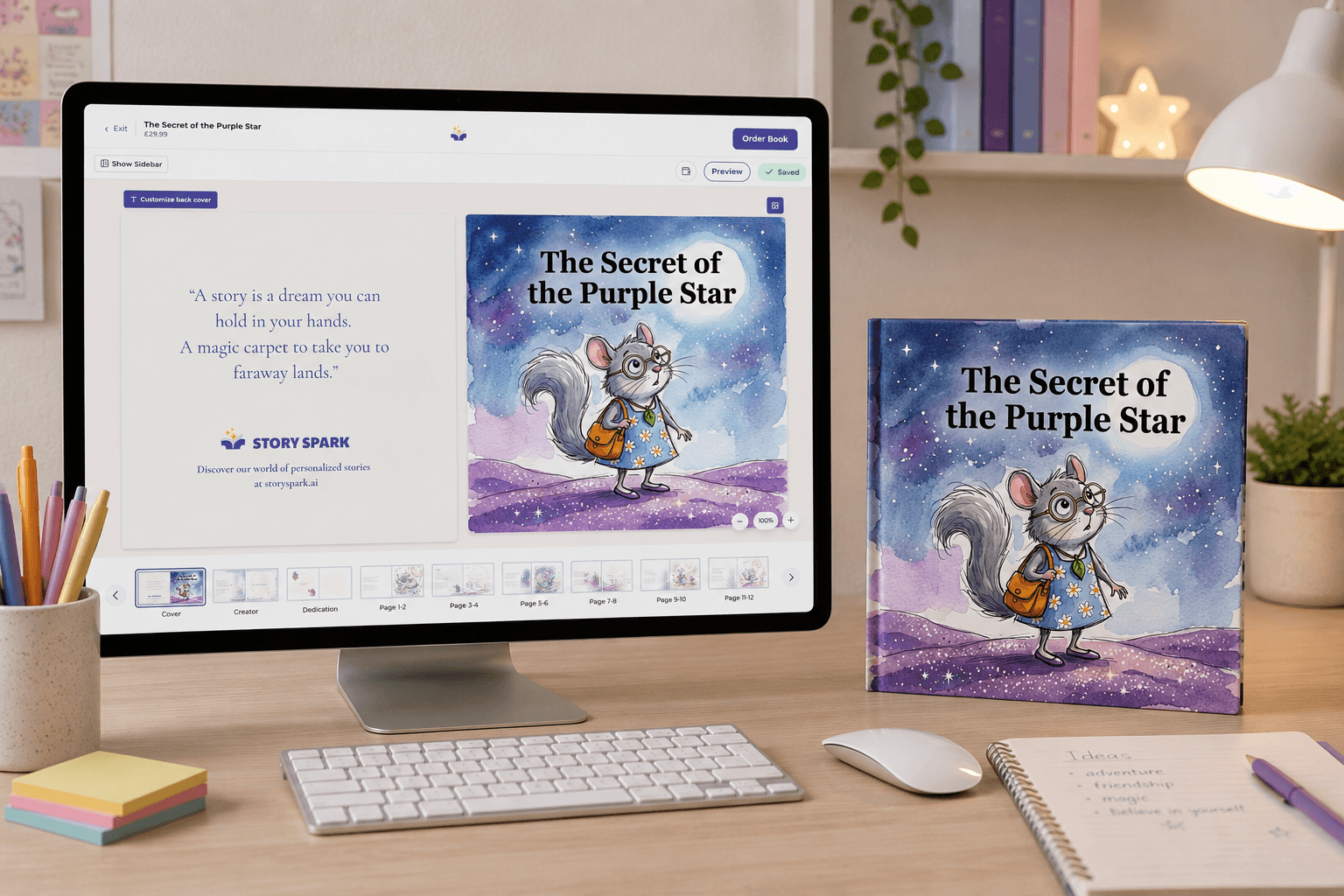
Story Spark was built around the checklist above rather than around any single feature. You can describe a story and let the AI story generator write and illustrate it, hand over something you've already written for our illustrator to bring to life, or start from a blank canvas. Characters can be built from a photo — a child, a grandparent, even a pet — and stay consistent across every page and every future story you create with them.
Text styles include options designed for accessibility and neurodivergent readers, and stories can be generated in more than 30 languages. Every book gets a full page-by-page preview before anything is finalized, so nothing goes to print until you're happy with it. From there, you can keep the story as a digital export or order it as a 21cm × 21cm hardcover, dispatched within five working days.
Pricing is upfront: the Free plan lets you write and print your own content at no cost, the Dreamer plan (from $9.99/month) unlocks the AI story generator and character creation, and the Creator plan (from $39.99/month) adds higher usage limits and watermark-free exports for anyone publishing more widely. Printed storybooks start from $29.99, priced separately from any subscription. You can see the full breakdown, including what's included at each tier, on our storybook creator page.
Frequently Asked Questions
What age is an AI story generator for kids appropriate for? Most platforms, including Story Spark, work well for children from roughly age two through the pre-teen years, adjusting vocabulary and story complexity to the age you set. Very young children will usually need a parent reading alongside them regardless of the tool.
Is it safe to use an AI story generator for children? It can be, provided the platform has clear content safeguards and a stated privacy policy covering how children's names, photos, and story data are used. It's worth checking this before you upload anything personal, not after.
Do AI story generators for kids cost money? Many offer a free tier for basic use, with paid plans unlocking AI generation, character creation, and higher usage limits. Printed books are usually priced separately from any subscription, so it's worth checking both costs before you commit.
Can AI story generators support children with learning differences? The better ones can, through adjustable fonts, formatting designed for dyslexia or visual processing needs, and audio narration. This varies significantly between platforms, so it's worth testing with your specific child in mind. Story Spark builds these options directly into the storybook creator-— worth trying if this is a priority for your family.
Can I still write the story myself instead of letting the AI generate it? On most full-featured platforms, yes. You're rarely locked into a fully automated flow - many tools, including Story Spark, let you paste or type your own text and have the AI handle only the illustrations, or start from a blank page entirely if you'd rather write every word yourself.
The Bottom Line
The "right" AI story generator for kids isn't the one with the flashiest homepage — it's the one that gets safety, personalization, and finished output right for the occasion you actually have in mind. Run any tool you're considering through the eight checks above, and you'll know within a few minutes whether it's worth your time.
If you'd rather just try one built around that checklist, you can create your child's storybook now - free to start, with no design experience needed.
Related reading:
- What Is A Book Illustrator?
- Story Spark vs Book Creator: which children's book tool is right for you?
- The Best AI Story Generator
Written by the Story Spark Team. Story Spark is an AI-powered platform for creating, illustrating, and printing your own books.