


Every parent, grandparent, teacher, and aspiring author has a children's story somewhere in their head. The hard part has never been the idea. It has always been everything that comes after: writing the story so it flows, illustrating every page, formatting it correctly, and finding a way to hold the finished book in your hands. AI has changed that equation completely.
With an AI book creator like Story Spark, you can turn a simple idea into a fully illustrated children's book in an afternoon, then print it as a real hardcover and have it delivered to your door. No design software, no illustrator on retainer, no publishing house required. This guide walks through exactly how to create a children's book with AI, from your first idea to the finished printed copy, along with the decisions and tips that make the result look genuinely professional.
Why Use AI to Create a Children's Book?
Traditionally, making a children's book meant either being a skilled writer and illustrator yourself, or paying two separate professionals to do it for you. Illustration alone can cost thousands of dollars and take months. That barrier kept most great story ideas exactly where they started: as ideas.
AI book creation tools remove that barrier in a few specific ways.
Speed. What used to take months of writing and illustrating can now happen in a single sitting. You describe your story, and the AI generates the text and artwork together.
Cost. Instead of paying per illustration, you pay for a subscription or a single printed book, which makes the whole process accessible whether you're making one gift or building a series.
No skill barrier. You don't need to know how to draw, illustrate, or format a manuscript. The AI handles the visual and structural work while you focus on the story itself.
Full creative control. Good AI book creators, including Story Spark, don't just spit out a finished book and lock you out. You can rewrite, regenerate, and adjust every page until it matches what you pictured.
A real, physical result. Unlike many AI writing tools that leave you with a PDF and nothing else, Story Spark prints your finished story as a premium hardcover book and ships it to your door, so the end result is something you can actually hold, read aloud, and pass down.
This combination is why AI-created children's books have become so popular for personalized gifts, family keepsakes, classroom resources, and even the first step toward self-publishing a children's book series.
Before You Start: What Kind of Book Are You Making?
Before opening any tool, it helps to know what you're aiming for, because that shapes every decision that follows.
A one-off personalized gift. Maybe it's a birthday storybook starring your daughter as the hero, or a book about a grandparent's life for a milestone birthday. These benefit from character personalization and a warm, specific story.
A bedtime or read-aloud story for your own kids. These tend to work best when they are shorter, simpler, and built around a lesson or a favorite character.
A book you plan to self-publish and sell. If you want to publish and sell your book, you'll want full ownership of the content, watermark-free exports, and a plan that supports that, which is where a Creator subscription matters.
A classroom or educational resource. Teachers are increasingly using AI story generators to build custom books around a curriculum topic, a reading level, or a classroom theme. You can read more about this use case on Story Spark's education page.
A family memory book. Not every children's book needs a plot with a dragon in it. Many of the most treasured Story Spark creations are true stories: a family history, a pet's life story, or a memory from a grandparent, printed and preserved for generations.
Knowing which of these you're making will guide your prompt, your character choices, and which path you take inside the tool. Once you're ready, Story Spark's Storybook Creator is built to support all five.
Step 1: Choose Your Creation Path
Most AI book creators only offer one way to generate a story. Story Spark offers three, so you can pick the amount of help you actually want.
AI Story Generator: describe it, and it writes and illustrates it for you. This is the fastest path. You write a short description of your idea, for example, "A gentle bedtime story about a young fox who is scared of the dark and learns that the stars are watching over her." Story Spark's AI story generator turns that description into a complete story, page by page, with matching illustrations. You can add up to four characters, choose your language, and select a text style, including options built for accessibility and neurodivergent readers.
Storybook Illustrator: you write it, Story Spark illustrates it. If you already have a story written, whether it's something you drafted yourself or a family tale that's been passed down, you can paste or type the full text and let Story Spark illustrate every page in the art style of your choice. This path keeps your exact words while still giving you professional, consistent illustrations.
Create Your Own: total creative control. For anyone who wants to build a book from a genuinely blank canvas, this option gives you professional formatting and sizing, the ability to write your own text, upload your own images, and even transform your own photos into matching illustrations. You can select from template covers, generate one, or upload your own.
All three paths lead to the same place: a fully editable book inside Story Spark's editor, ready to be refined and printed. You can start any of them from the Create a Book page.
Step 2: Write a Strong Prompt (If You're Using the AI Story Generator)
The quality of an AI-generated children's book depends heavily on the quality of the prompt behind it. A vague prompt produces a generic story. A specific one produces something that feels like it was written for exactly this child, this occasion, or this idea. A few principles help:
Give it a clear premise. Instead of "a story about a dog," try "a story about a small, nervous rescue dog who becomes brave enough to help a lost kitten find its way home." The more specific the setup, the more specific the story.
Include the emotional core. Children's books work best when there's a feeling underneath the plot: courage, kindness, curiosity, missing someone, or learning to share. Naming that feeling in your prompt helps the AI build the story around it rather than just around events.
Mention the age range. A story for a three-year-old should read very differently than one for an eight-year-old. Saying so upfront shapes vocabulary, sentence length, and pacing.
Add the character's name and traits. If your story is personalized, describe who the character is, not just their name. "Mia, age 6, who loves dinosaurs and is a little afraid of the dark" gives the AI far more to work with than "Mia."
Decide on a setting. A forest, a spaceship, a grandmother's kitchen, a school playground: setting shapes tone as much as plot does.
Don't be afraid to regenerate. If the first version isn't quite right, adjust your prompt and try again, or edit specific pages directly once the draft exists. AI story generation is iterative by design.
Step 3: Add Characters, Including From Photos
One of the most powerful parts of AI children's book creation is the ability to turn a real photo into an illustrated character. Upload a picture of a child, a parent, a grandparent, a pet, or even a favorite stuffed toy, and Story Spark transforms it into a consistent illustrated character who can appear throughout the story.
This is what makes a personalized storybook feel genuinely personal rather than templated. A book where the illustrated hero actually looks like your daughter, in the art style you chose, tends to be read and re-read far more than a generic story ever would be. You can add up to four characters per story, which is enough for a child, a sibling, a parent, and a pet to all appear together.
Step 4: Choose an Illustration Style
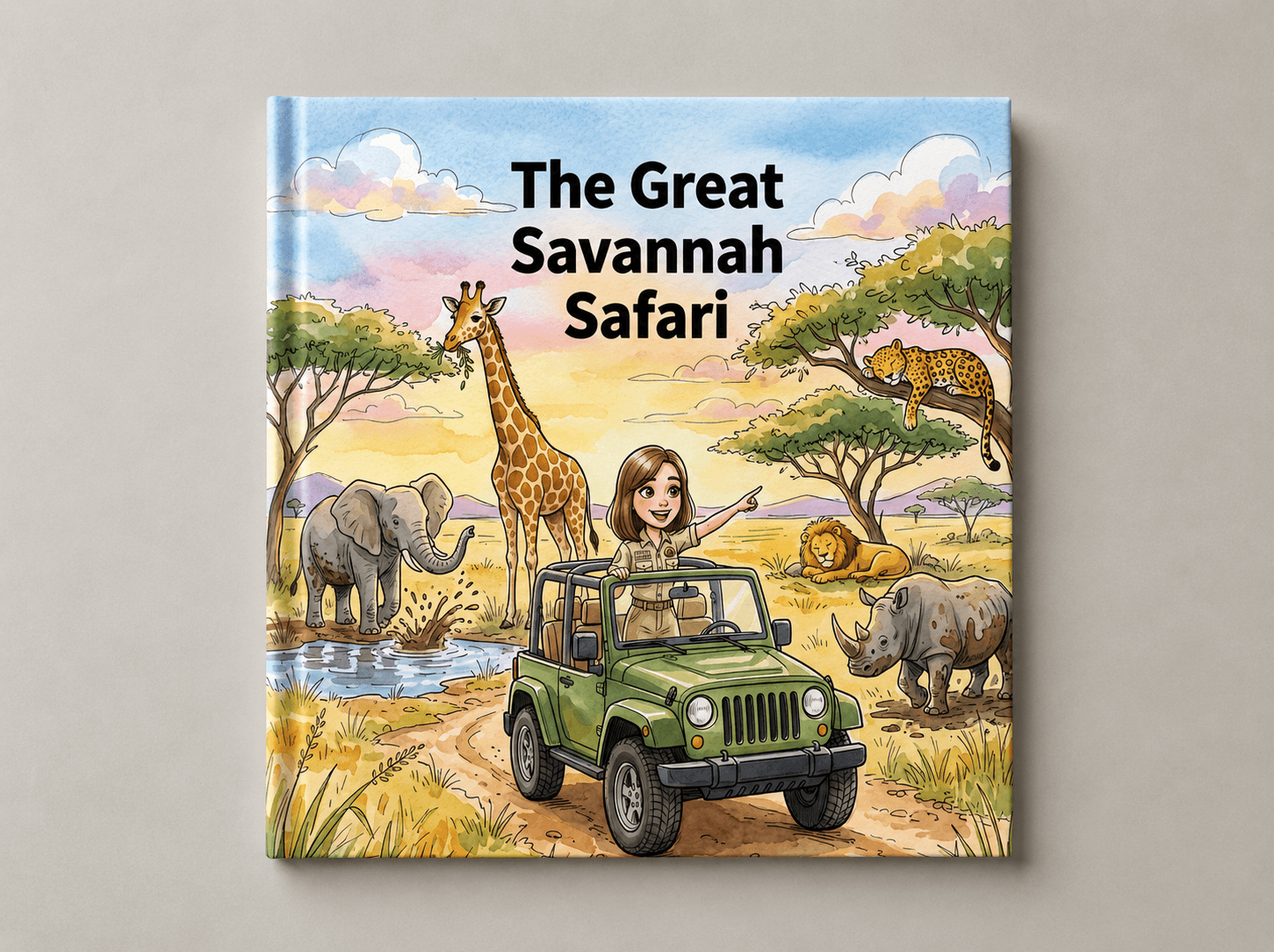
Art style has a huge effect on how a book feels. A soft watercolor style suits a gentle bedtime story. A bold, graphic style suits an adventure story. Story Spark offers a range of illustration styles you can preview and select, so the visual tone matches the story you're telling rather than fighting against it. If you're illustrating a story you've already written, this is also where you make that choice, since the Storybook Illustrator applies your selected style consistently across every page.
Step 5: Edit and Refine Your Book
This is the step that separates a rough AI draft from a genuinely polished children's book, and it's where Story Spark's editor does most of its work.
Inside the editor, you can adjust text, add or remove pages, generate new illustrations for individual spreads, and rearrange layouts, all without starting over. Nothing is locked in until you're ready.
If you get stuck on a sentence, a transition, or how to end a page, the Spark Writing Assistant is built directly into the editor. Think of it as a collaborator sitting next to you: it can suggest alternative phrasing, help fill a gap in the plot, or refine tone, all without leaving the page you're working on.
Once you're happy with the content, use the page-by-page preview to see exactly how the finished book will look, cover to cover, before you commit to printing anything. This preview step matters more than it might seem: catching a layout issue or an awkward line break before printing saves both money and disappointment.
Step 6: Export or Print Your Book
Once your children's book is finished, you have real choices for how to bring it into the world.
Print a hardcover. Story Spark prints every storybook as a premium 21cm x 21cm hardcover, in full color, up to 60 pages, with the option to add a personal dedication, your name as creator, and a photo. Books are printed and dispatched within 5 business days, currently shipping to the USA, UK, UAE, Australia, Canada, Saudi Arabia, Spain, the Netherlands, Qatar, and Portugal.
Export as a PDF or ePub. If you want a digital copy to share immediately, or you're planning to publish on another platform, you can export your finished book as a PDF or ePub. On the Creator plan, these exports are watermark-free, along with individual page assets, which matters if you intend to publish or sell your book elsewhere.
Add audio narration. Creator plan subscribers can also add narration to their story, including cloned voices, turning the finished book into a listenable audiobook as well as a printed one.
If your goal from the start was to publish and sell your book rather than create a one-off gift, it's worth reading Story Spark's dedicated guide on how to self-publish a children's book, which covers royalties, ownership, and selling through Story Spark's own Community Library.
Choosing the Right Plan
Story Spark's pricing is built around how much of the AI tooling you need, not around locking basic creation behind a paywall.
The Free plan lets you create and print your own book using the editor at no cost, which is ideal if you're writing and uploading your own content.
The Dreamer plan (best for personal, one-off creations) unlocks the AI story generator and illustrator, character creation, branded PDF and ePub downloads, and free shipping on printed book orders.
The Creator plan is built for anyone making books regularly or planning to publish and sell, with higher AI usage limits, audio narration and voice cloning, full ownership of AI-generated content, and watermark-free downloads across every format.
Full details, including current pricing and AI credit allowances, are on the pricing page.
Tips for Getting the Best Results From an AI Book Creator
Start with the ending in mind. Even a short prompt benefits from knowing how the story resolves. If you know the lesson or emotional payoff you want, work backward from there.
Keep young readers in mind at every step. Simple sentences, repetition, and a satisfying rhythm matter more in children's books than in almost any other kind of writing. If a page feels wordy, that's usually a sign to simplify it, and the Spark Writing Assistant is well suited to helping with exactly that.
Preview before you print. It's tempting to order a printed copy the moment the story feels finished, but a full page-by-page preview often catches small things worth fixing first.
Don't be afraid to regenerate individual pages. You don't need to restart a whole book if one illustration or one page of text isn't quite right. Regenerate just that piece and keep the rest.
Build a character once, reuse it often. If you're planning a series, whether for your own family or for publishing, save your character so it stays consistent across multiple books.
Mistakes to Avoid When Creating a Children's Book with AI
Even with a capable AI book creator, a few habits tend to separate a book that feels special from one that feels rushed.
Being too vague in the prompt. "A story about a princess" will produce something generic, because there's nothing distinctive for the AI to build on. The fix is always the same: add specific detail about who the character is, what they want, and what stands in their way.
Skipping the preview before printing. It's easy to get excited and order a printed copy the moment the last page is generated. A five-minute page-by-page preview catches awkward line breaks, repeated words, or an illustration that doesn't quite match the text, all of which are far easier to fix on screen than after a hardcover has shipped.
Overloading the story with characters. Young readers, especially toddlers and early readers, follow a story more easily when there are one or two characters to track, not five. Story Spark supports up to four characters per story, but that doesn't mean every story needs all four.
Ignoring reading level. A story written for an eight-year-old's vocabulary can feel overwhelming to a three-year-old, and a story simplified for a toddler can feel thin to an older reader. Mentioning the intended age range in your prompt, and choosing the right text style in the editor, keeps the language matched to the reader.
Not saving characters for reuse. If there's any chance you'll want the same child, pet, or family member to appear in a future book, whether for a birthday series or a set of educational stories, it's worth building the character once properly rather than recreating it from scratch each time.
Treating the first draft as final. AI-generated stories are a strong starting point, not a finished manuscript. The books that turn out best are almost always the ones where the creator went back in with the Spark Writing Assistant and tightened a few lines, adjusted pacing, or swapped a weaker page for a stronger one.
Story Idea Prompts to Get You Started
If you're staring at a blank prompt box, these starting points tend to produce strong results, and can be adapted with your own character names, settings, and details.
For a bedtime story: a small nocturnal animal who is afraid of the quiet of nighttime, until they discover that nighttime has its own kind of magic.
For a courage story: a shy child who has to speak in front of the class for the first time, and finds an unexpected source of confidence.
For a sibling story: an older sibling who isn't sure how to feel about a new baby joining the family, told from the older child's point of view.
For a pet story: a family pet's daily adventures around the house and yard, narrated as if the pet is the hero of their own epic quest.
For a family history book: a grandparent's real childhood story, written in simple, warm language, paired with illustrations based on old photographs.
For an educational story: a curious character exploring a specific topic, like the water cycle, the solar system, or a moment in history, learning through the adventure itself rather than a lecture.
Each of these works with any of Story Spark's three creation paths. Describe it and let the AI story generator build it from scratch, write it yourself and have it illustrated, or use it as a jumping-off point for a story you build entirely by hand.
Common Uses for AI-Created Children's Books
Personalized gifts. Birthdays, holidays, new siblings, and milestones are the most popular reason people create a book with Story Spark. Browse more ideas on the personalized gifts page.
Self-publishing. Writers use Story Spark to draft, illustrate, and export books ready to publish independently, whether that's on Story Spark's own Community Library or elsewhere.
Education. Teachers build custom storybooks around curriculum topics, vocabulary, or classroom themes, giving students a story that speaks directly to what they're learning.
Accessibility and neurodivergent readers. Story Spark includes text style options designed specifically to support accessibility and neurodivergent readers, making it easier to create a book that actually fits the reader it's for.
Family history and memory keeping. Not every book needs a fictional plot. Many families use Story Spark to turn a grandparent's life story, a pet's story, or a family history into a printed keepsake that lasts.
Frequently Asked Questions
Do I need to know how to write or draw to create a children's book with AI? No. Story Spark's AI story generator can write and illustrate a complete book from a short description you provide. If you'd rather write the story yourself, Story Spark's illustrator will illustrate your own words, and if you want full creative control, the blank canvas option gives you every tool to build it manually.
Can I use a photo of my own child as a character in the book? Yes. Upload a photo of a child, parent, grandparent, pet, or even a toy, and Story Spark turns it into a consistent illustrated character that can appear throughout your story.
How long does it take to create a children's book with AI? Using the AI story generator, a complete illustrated story can be created in well under an hour. The editing and refinement stage can take longer depending on how much you want to adjust, but there's no minimum time required to produce a finished book.
Can I edit the story after the AI generates it? Yes. Every page of text and every illustration can be edited, regenerated, or rearranged inside Story Spark's editor before you commit to a printed copy.
Can I actually print the book, or is it digital only? You can do both. Story Spark prints every storybook as a hardcover, up to 60 pages, and dispatches it within 5 business days. You can also export a digital PDF or ePub version.
Who owns the rights to an AI-generated children's book made with Story Spark? Content you create stays yours. Creator plan subscribers additionally receive full ownership of AI-generated content along with watermark-free exports, which matters if you plan to publish or sell your book independently.
What age group is Story Spark suitable for? Story Spark is built to generate age-appropriate content across the full range of childhood, from toddlers through to older children, and includes text style options for different reading levels and accessibility needs.
Is there a free way to try creating a children's book with AI? Yes. Story Spark's Free plan lets you create and print your own book using the editor at no cost. AI story generation, illustration, and character creation are available on the Dreamer and Creator plans.
Start Creating Your Children's Book Today
The idea has probably been sitting with you for a while: a story for your child, a book you've always wanted to write, a way to preserve a family memory. AI has closed the gap between having that idea and holding the finished book in your hands.
Story Spark gives you three ways to build it, a full editor to refine it, and a way to print it as a real hardcover you'll keep for years. Whether you're creating a single personalized gift or planning to self-publish a whole series, the next step is the same one: start the story.
Create Your Book | Explore Storybook Creator | View Plans & Pricing
Related reading:
Written by the Story Spark Team. Story Spark is an AI-powered platform for creating, illustrating, and printing your own books.