


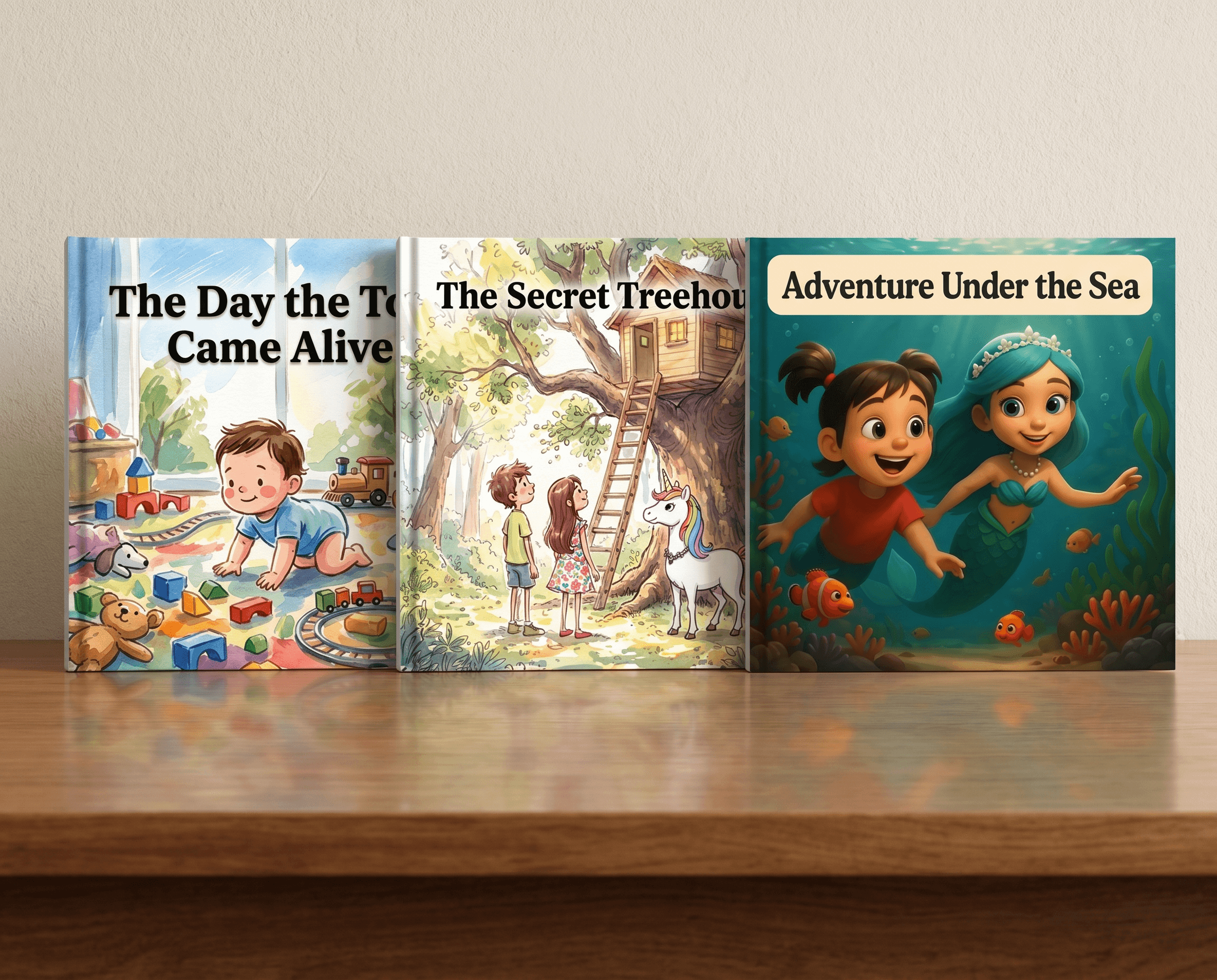
An AI children's book generator can write the story, illustrate every page, and hand you a finished book in minutes. That part is true of almost every tool on the market now. What separates a genuinely good one from a disappointing one is whether the story actually reads well, whether the illustrations hold together page to page, and whether the finished product is something you'd actually want to print, gift, or publish.
We tested 10 of the best AI children's book generators available in 2026, looking closely at story writing quality, illustration consistency, personalization, and what happens after the book is "finished." If you're brand new to this category, our AI storybook creator guide is a good starting point before you dive into the comparisons below.
If you already want to jump straight in, you can start your Story Spark storybook today. It's free to start, and no credit card is required.
How We Evaluated These AI Children's Book Generators
Not all of these tools are solving the same problem, so we judged them on the same six criteria to keep the comparison fair.
Story and text quality. Does the AI actually write a coherent, age-appropriate story, or does it just fill in a template with your child's name? We looked at vocabulary level, pacing, and whether the plot made sense from start to finish.
Illustration quality and consistency. Does the main character look the same on page one as they do on page twelve? Sloppy character drift is one of the most common complaints about AI-generated books, and it's the difference between a book that feels magical and one that feels obviously AI-made.
Personalization depth. Some tools only insert a name. Others use an uploaded photo to build a genuine illustrated likeness. We noted which approach each tool takes.
Format and print options. Is the finished book a PDF you print at home, a digital-only read, or a professionally printed hardcover? This matters a lot if the book is meant to be a gift or a keepsake.
Self-publishing support. Can you actually take the finished book and publish it somewhere else, like Amazon KDP, without the platform's branding baked into every page? We flagged this specifically for creators and small publishers, not just parents making a one-off gift.
Price and ease of use. How much does a finished book actually cost, and how many steps does it take to get there?
The 10 Best AI Children's Book Generators in 2026
Here's how the ten stack up, starting with the tool that scored strongest across illustration quality, text quality, gifting, and self-publishing combined.
- Story Spark
Story Spark is a full book creator, not just a picture generator. You can build illustrated storybooks, personalized comic books, memoirs, or full-length novels, all from the same underlying tools. That range matters because it means the platform doesn't force every project into the same short, generic picture-book template.
On text quality, Story Spark's AI story generator can write and illustrate a complete book from just a short description, or you can write your own text and use Spark, the in-editor writing assistant, to refine sentences, suggest alternatives, or work through a plot point you're stuck on. That combination, AI-written or human-written with AI support, is fairly rare among the tools on this list, most of which only offer one or the other.
Illustrations are where Story Spark stands out most. You can upload a photo of a child, a parent, a grandparent, a pet, or even a toy, and the AI generates a genuinely illustrated character in your chosen art style, with that same character appearing consistently across every page. Our AI book illustrator page covers how that consistency works in more detail. You can also preview every page before committing to a printed copy, which most competitors on this list don't offer.
Finished books print as premium hardcovers and dispatch within five business days, shipping to the USA, UK, UAE, Australia, Canada, and several other countries. For self-publishers specifically, Story Spark also supports branding-free exports, so a book built on the platform can be published elsewhere without Story Spark's name attached to every page.
2. ToonyStory
ToonyStory converts a child's photo into a stylized character, then carries that same character across a full illustrated book and a short animated video. In independent testing, ToonyStory has scored particularly well on multi-page character consistency, which is one of the hardest problems in this category to solve.
The story text tends to be shorter and simpler than a traditional picture book, which suits younger children well but may feel thin if you're looking for a longer, more developed narrative. There's no self-publishing export option, so this is best suited to families creating a one-off personalized gift rather than creators building a series.
3. Lullaby.ink
Lullaby.ink builds a cartoon-style character from an uploaded photo and lets you place that character into different outfits and custom backgrounds, including scenes based on your own family photos. It supports up to three characters appearing together in one story, which is genuinely useful if you're making a book for siblings or a child and their pet.
Lullaby.ink offers seven art styles and both digital and printed formats. Story quality is solid for shorter, themed adventures, though it's built around curated story categories rather than fully open-ended prompts, so you have less control over plot specifics than you do with a tool like Story Spark.
4. Magic Story
Magic Story leans heavily into illustration polish. Its avatars have a smooth, animated look, sometimes described as "Pixar-quality," with consistent hair, skin tone, and facial expressions carried through every page. If illustration quality is your single biggest priority and you're not too concerned with story variety, this is a strong option.
The trade-off is story range. Magic Story's plots tend to draw from a narrower set of templates than more open-ended tools, and there's no dedicated self-publishing export. It's priced at a premium compared to most other tools on this list, which is worth factoring in if you're planning to make more than one book.
5. Childbook.ai
Childbook.ai focuses on personalized picture books with a photo-based main character, offered across a handful of illustration styles. Character consistency across pages is respectable, though independent benchmarking has generally placed it a step behind the strongest tools in this list on that specific measure.
Story text is functional and age-appropriate but fairly formulaic, which is common among tools that prioritize quick turnaround over narrative depth. Childbook.ai is a reasonable choice if speed and simplicity matter more to you than a highly original story.
6. Hekaya (Magical Hekaya)
Hekaya's standout feature is audio narration bundled in at a competitive price point, something most tools on this list don't offer at all. The illustrations are described as "photo-real," aiming for a closer likeness to the uploaded photo than the more stylized cartoon look most competitors use.
Hekaya also runs content safety filters across both text and illustrations before anything is shown to the child, which is a genuinely reassuring detail if privacy and content moderation are a priority for your family. Print-on-demand is available, though the platform is squarely built for families and gifting rather than self-publishers.
7. StoryPic Books
StoryPic Books offers more than ten illustration styles generated from a single uploaded photo, more range than almost any other tool on this list. If you want to see the same character rendered as a watercolor painting, a bold cartoon, and a soft pastel sketch before deciding, this is the tool that lets you compare the most options.
Story text is capable but standard, without much of the flexibility you'd get from a dedicated AI writing assistant. This is best thought of as an illustration-first tool that happens to also generate a story around the artwork it produces.
8. LoveToRead.ai
LoveToRead.ai's approach is built around reusability. You upload a few photos, generate a consistent storybook character once, and then reuse that same character across multiple different stories over time, effectively building a small personal library featuring the same child.
This is a smart model if you plan to make several books for the same child at different ages or for different occasions. Illustration and story quality are both solid, though not the strongest on this list individually. The main appeal is the character library concept itself.
9. StoryBookGen
StoryBookGen accepts both photos and a child's own drawings as source material, which is a nice option if your child likes to sketch their own characters and wants to see that drawing turned into a polished illustration. Finished books can be exported as a PDF, a digital book, or print-ready files.
Story generation is AI-assisted but leaves more of the creative direction to you than most tools on this list, which some parents and educators will prefer and others will find slower. It's a flexible, if less streamlined, option.
10. Google Gemini Storybook
Google's Gemini Storybook feature lets you generate an illustrated story using a general-purpose AI assistant, including the option to reference an uploaded photo. It's free or low-cost if you're already using Gemini, which makes it worth trying if budget is your main concern.
It isn't a dedicated children's book platform, though, so there's no professional print option, no self-publishing export, and character consistency across a full book isn't as strong as the tools built specifically for this purpose. Think of it as a good way to experiment with AI storytelling before committing to a dedicated platform.
Story Spark for Gift-Givers vs. Self-Publishers
Most of the tools above are built for one type of user. Story Spark is one of the few that genuinely works well for two very different audiences, and it's worth breaking down why.
For gift-givers, Story Spark lets you build a personalized storybook, comic book, or memoir around someone you love, using their photo, and add a personal dedication inside the front cover. You can ship the finished hardcover directly to the recipient, so it arrives ready to open as a gift for a birthday, a new baby, a wedding, or any other occasion worth marking. Our personalized book gifts page has more examples if gifting is your main goal.
For self-publishers, the same underlying tools support a completely different workflow. You can write and illustrate a children's series, export it without Story Spark's branding, and publish it anywhere, including third-party platforms like Amazon KDP. The Spark writing assistant helps you refine text across multiple books in a series, and page-by-page previews let you catch inconsistencies before you commit. Our guide to how to self-publish with an AI book creator walks through that process in more detail.
Very few of the other tools on this list support both use cases well. Most are built specifically for one-off personalized gifts, with no export or publishing path at all, which is worth knowing before you invest time building a series on a platform that was never designed for it.
If you're specifically looking for tools that personalize a book from a photo rather than writing generic text, our roundup of the best AI photo-to-storybook tools narrows the comparison down to just that category.
Frequently Asked Questions
What is an AI children's book generator?
It's a tool that uses AI to write a children's story, generate illustrations for it, and assemble the finished pages into a book, either digital or printed. The best ones can also personalize the main character using an uploaded photo.
Do AI children's book generators write good stories, or just pictures?
It depends heavily on the tool. Some genuinely write coherent, age-appropriate stories with a clear beginning, middle, and end. Others mostly focus on illustration and use fairly basic, templated text, so it's worth checking both story quality and illustration quality separately before choosing.
Can I use an AI children's book generator to self-publish and sell my book?
Only some tools support this. You'll want a platform that offers branding-free exports and doesn't lock your book permanently inside its own app, since most self-publishing platforms require you to upload your own files.
Which AI children's book generator is best for gifts?
Look for a tool that supports high-quality photo personalization, offers a printed hardcover rather than just a digital file, and lets you add a personal dedication. Ship-to-recipient options are also worth checking if you're sending the book directly rather than gifting it in person.
Are AI-generated children's books safe and appropriate for kids?
Reputable platforms run content safety checks on both text and illustrations before showing anything to a child. It's worth checking each platform's safety and privacy policy, particularly around how long uploaded photos are stored, before uploading a photo of your child.
The Bottom Line
The right AI children's book generator depends on what you actually need. Some tools do one thing very well, whether that's illustration polish, audio narration, or style variety, but very few handle strong story writing, high-quality illustration, gifting, and self-publishing all in one place.
Story Spark is built to do all four. You can create your first AI-generated children's book in a few minutes, free to start, no credit card required.
Related reading:
- The Best AI Story Generator
- The Best Book Creator
- The Best Storybook Creator
- How To Choose The Best AI Story Generator For Your Child
- The Best AI Writing Tools
Written by the Story Spark Team. Story Spark is an AI-powered platform for creating, illustrating, and printing your own books.