


Quick Answer
The best free AI book writing tools in 2026 are ChatGPT, Claude and Gemini for drafting, Reedsy Studio for writing and formatting a manuscript, and Story Spark for turning your book into a printed hardcover. Story Spark's Free plan lets you write your own text, upload your own images, use the professional book editor and order a printed book with no subscription, paying only for the book itself (storybooks from $29.99). Its AI writing and illustration tools are available on paid plans from $9.99 a month.
The 9 free options at a glance:
- Story Spark: best free route from manuscript to printed hardcover
- ChatGPT: best free all-rounder for ideas and drafts
- Claude: best free AI for long-form, natural-sounding prose
- Google Gemini: best free tool for quick illustrated digital storybooks
- Microsoft Copilot: best free option for writing plus image ideas in one place
- Reedsy Studio: best free manuscript editor and formatter
- Canva Free: best free tool for designing a simple book layout
- Book Creator: best free tool for classroom digital books
- Sudowrite: best free trial for fiction writers
Key Takeaways
- No single free tool does everything. Most people combine a free AI writing assistant with a free editor or book platform.
- Free AI chatbots are excellent for brainstorming and first drafts, but they do not format, illustrate consistently or print books.
- Watch the fine print: usage caps, free trials, ads, export limits and ownership terms vary widely.
- Story Spark's Free plan is the most practical free way to get a printed book, because you only pay for the copy you order.
- Treat AI output as a first draft. Your voice, edits and real-life details are what make a book worth reading.
What "Free" Really Means for AI Book Writing Tools
Before choosing a tool, it helps to know which kind of free you are getting. There are four common models.
- Free forever with usage limits. You can use the tool indefinitely, but you hit a cap on messages, images or AI credits per day or month. Most AI chatbots work this way.
- Free core, paid extras. The basic tool is free, and advanced features cost money. Story Spark, Reedsy Studio, Canva and Book Creator follow this model.
- Free trial. You get full access for a short period or a small number of credits, then you must pay. Sudowrite works this way.
- Free to create, pay to print. You can build the whole book for free and only pay when you order a physical copy. This is how Story Spark's Free plan handles printing.
There are also hidden costs to check. Free chatbot plans may show ads, use slower models at busy times or limit file uploads. Some free design tools add watermarks or restrict exports. And some tools' terms limit what you can do with the content commercially, which matters if you want to sell your book.
How We Compared the Free Tools
We compared each tool using its free plan or free trial only, based on each product's published features and plan details and the process of drafting a book where the free plan allows it. Details were checked in October 2026, and free plans change often, so confirm the current limits on each provider's site.
Every tool was compared on six questions:
- What can you do for free? Writing, images, formatting, export, printing.
- How generous are the limits? Can you realistically draft a whole book without paying?
- How good is the writing help? Brainstorming, outlining, drafting, editing and consistency of voice.
- Can it illustrate? And does the main character stay consistent across pages?
- Does it produce a book? Page layout, covers, export files or a printed copy.
- Who owns the result? Can you share, print or sell what you create?
The answer to question 5 is where most free tools fall short. If your end goal is a finished, illustrated or printed book, our guide to the best AI platforms for personalized storybooks and our comparison of platforms offering high-quality hardcover printing go deeper.
The 9 Best Free AI Book Writing Tools in 2026
1 Story Spark: Best Free Route From Manuscript to Printed Hardcover
Free plan includes: The book editor with professional formatting built in, writing your own text, uploading your own images, cover and dedication pages, a full page-by-page preview, and ordering printed hardcovers.
Paid from: $9.99 a month (Dreamer) for AI creation tools.
Story Spark is an AI book creator trusted by more than 200,000 creators, and it is the only tool on this list built around the finished, printed book. On the Free plan you can open the Blank Canvas in the Storybook Creator or the Book Creator, paste in a manuscript you drafted anywhere (including with a free AI chatbot), add your own images, design a cover and order a hardcover. You pay only for the printed copy.
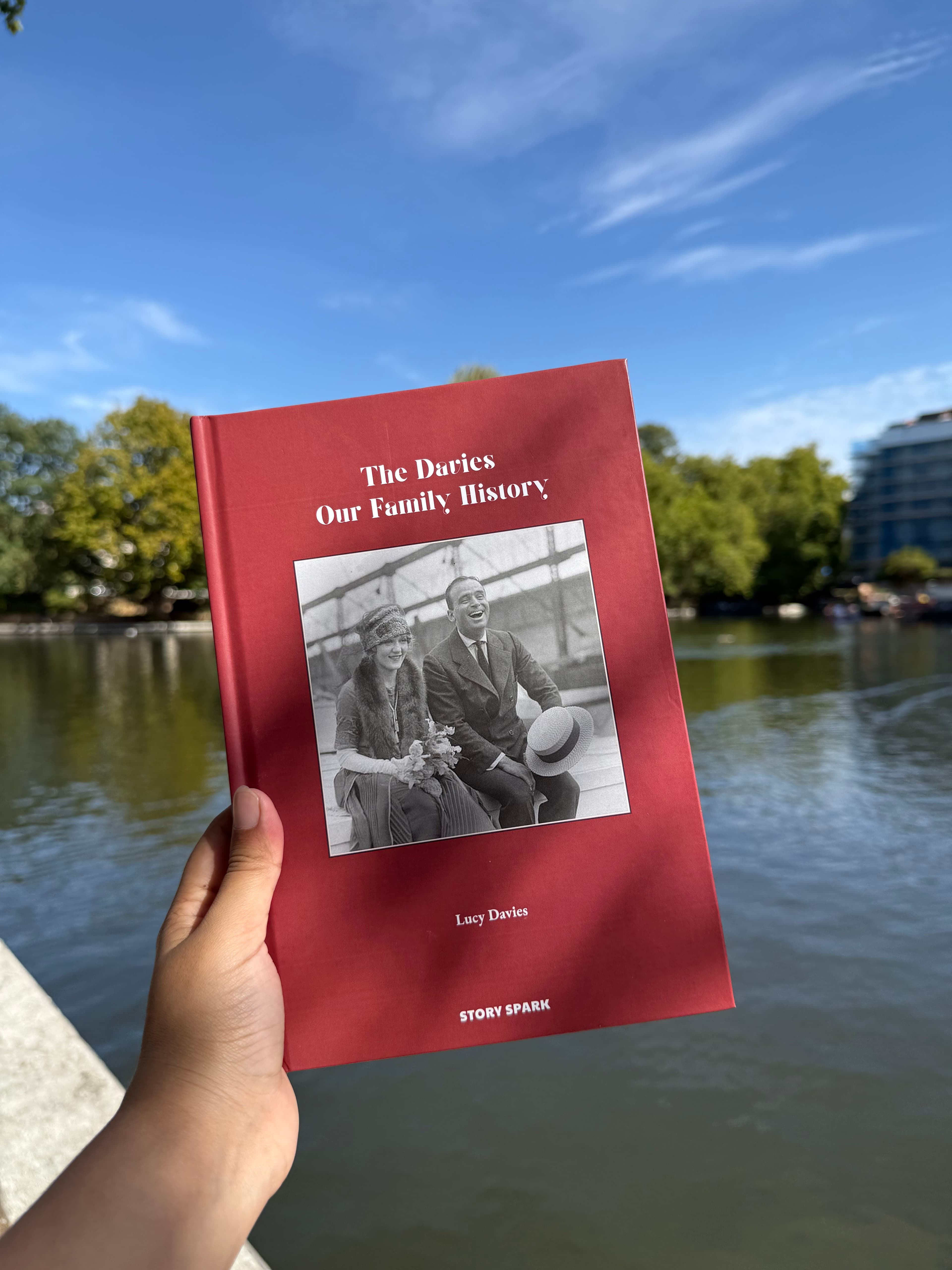
Printed books come in two main sizes: 21cm x 21cm storybooks with 24 to 64 pages and 16.5cm x 24cm books with 24 to 200 pages for novels, memoirs and family histories. Every book is printed to order, dispatched within five working days and delivered to 14 countries. See the delivery information page.
When to upgrade: If you want Story Spark to write or illustrate for you, the Dreamer plan adds the AI Story Generator, the Storybook Illustrator, AI chapter drafting, character creation from photos with characters that stay consistent on every page, branded PDF and EPUB downloads and free standard shipping. The Creator plan ($39.99 a month) adds ownership of AI-generated content, audio narration and watermark-free downloads for self-publishing. See the pricing page.
Limits of the free plan: AI writing and illustration are paid features, and digital downloads start on the Dreamer plan.
Best for: Anyone who has written, or is writing, a book and wants a professional hardcover without a subscription.
2 ChatGPT: Best Free All-Rounder for Ideas and Drafts
Free plan includes: AI chat for brainstorming, outlining, drafting and editing, plus limited image generation, with usage caps.
Paid from: Go at around $8 a month and Plus at $20 a month, according to published 2026 pricing. Free and Go plans may show ads.
ChatGPT is the most popular starting point for writing with AI. On the free plan it is excellent for generating premises, building character profiles, outlining chapters, drafting scenes and tightening paragraphs. You can also generate some images for inspiration.
It is not a book tool. It does not lay out pages, keep long manuscripts organised, keep characters visually consistent across many images or print. Long projects also need careful prompting to keep tone and plot details consistent across chats.
Best for: Brainstorming and fast first drafts. When you are ready to illustrate or print, paste your draft into a book platform.
3 Claude: Best Free AI for Long-Form, Natural-Sounding Prose
Free plan includes: AI chat with strong writing and editing ability, file uploads and longer documents, with rolling usage limits.
Paid from: Pro at $20 a month.
Claude, from Anthropic, is popular with writers for prose that reads naturally and for handling long documents, which makes it useful for reviewing whole chapters, suggesting structural edits and keeping track of a plot across a long conversation.
Like other chatbots, it produces text rather than a finished book, and it is not an image generator, so illustration and layout happen elsewhere.
Best for: Drafting and revising long-form fiction, memoirs and non-fiction chapters.
4 Google Gemini: Best Free Tool for Quick Digital Storybooks
Free plan includes: AI chat for writing, plus the Storybook feature, which creates a 10-page illustrated story with read-aloud narration.
Paid from: Google AI plans from around $19.99 a month for higher limits.
Gemini is a capable free writing assistant, and its Storybook feature is a genuinely fun way to make a quick illustrated story for a child, in styles from comics to claymation. You can upload a photo or drawing for inspiration.
Storybooks are fixed at 10 pages, live on screen and are not designed for print, and keeping a character identical across pages is not its focus.
Best for: A free bedtime story on a tablet tonight. If it becomes a favourite, rebuild it in a print-focused platform. Our guide to personalized bedtime stories has ideas.
5 Microsoft Copilot: Best Free Option for Writing Plus Image Ideas
Free plan includes: AI chat for writing help and free AI image generation, subject to usage limits that can vary with demand.
Paid from: Copilot paid plans and Microsoft 365 subscriptions for higher limits.
Copilot combines a writing assistant with image creation in one free app, which makes it handy for sketching out a story and generating mood images or concept art at the same time.
Images are generated one at a time, so a recurring character will not reliably look the same across a whole book, and there is no book layout or printing.
Best for: Early-stage planning, mood boards and concept images.
6 Reedsy Studio: Best Free Manuscript Editor and Formatter
Free plan includes: A distraction-free book writing app with chapters, writing goals, collaboration with editors, and professional typesetting with EPUB and print-ready PDF export.
Paid from: Optional add-ons for extra planning features.
Reedsy Studio is not an AI writer, but it is one of the best free places to assemble and format a text-heavy manuscript. Many writers draft with an AI chatbot, then move the text into Reedsy Studio to organise chapters and export professional ebook and print files.
It does not illustrate or print books for you, and it is designed for prose rather than picture books. You upload its print-ready PDF to a separate print service.
Best for: Novelists and non-fiction writers formatting a manuscript for ebook or print-on-demand.
7 Canva Free: Best Free Tool for Designing a Simple Book Layout
Free plan includes: Book and storybook templates, design tools and a small monthly allowance of AI features such as Magic Write and image generation.
Paid from: Canva Pro for larger AI allowances and premium assets.
If you enjoy design, Canva Free lets you lay out a short picture book or journal page by page with real control over fonts and layout.
The free AI allowance runs out quickly on a full book, generated characters drift between pages, and you need to export files and arrange printing elsewhere.
Best for: Design-confident people making a short visual book.
8 Book Creator: Best Free Tool for Classroom Digital Books
Free plan includes: The Starter plan with one library and up to 40 books, multimedia pages (text, images, audio and video), read-aloud and drawing tools, and EPUB download.
Paid from: Premium teacher plans for more books and libraries.
Book Creator is a long-standing favourite in schools for digital, multimedia books. It is easy for children to use and great for class projects.
It is digital-first, does not generate a guided illustrated story and is not built for printed hardcovers. Teachers who want printed class books can use Story Spark for education, with volume discounts of up to 30%.
Best for: Teachers and students creating digital books in class.
9 Sudowrite: Best Free Trial for Fiction Writers
Free plan includes: A free trial with a limited number of credits. There is no permanent free plan.
Paid from: Around $10 a month on annual billing, according to published pricing in 2026.
Sudowrite is built specifically for fiction, with tools for planning, drafting in your voice, describing scenes and rewriting passages. The free trial is a good way to see whether a fiction-focused assistant suits you before paying.
It is text-only, with no illustration or printing.
Best for: Novelists who want to test a dedicated fiction AI before committing.
The Best Free Tool for Your Goal
"I want to write a novel for free"
Draft with Claude or ChatGPT, organise chapters in Reedsy Studio, then print a 16.5cm x 24cm hardcover of up to 200 pages with Story Spark's Book Creator on the Free plan, paying only for the copy.
"I want to make a children's picture book"
Write the story with a free chatbot, then build it in Story Spark. On the Free plan you can add your own images; on a paid plan Story Spark can illustrate every page with consistent characters from your photos. See the Storybook Creator, and our guide on how to make a children's book your child will actually love.
"I want a quick story for my child tonight"
Use Gemini Storybook for a free 10-page digital story. If it becomes a favourite, turn it into a printed keepsake with Story Spark.
"I want to write a memoir or family history"
Use a free chatbot to interview yourself with prompts ("Ask me 20 questions about my childhood"), then write and print in Story Spark's Book Creator. Volume discounts from five copies make it affordable to give one to every relative.
"I want to make a comic"
Free chatbots can help with the plot, but drawing consistent panels is hard. Story Spark's comic book creator illustrates a 24-page comic with up to three characters from photos on a paid plan, printed for $29.99 per book. For the craft side, see how to publish a comic book.
"I'm a teacher"
Use Book Creator's free Starter plan for digital class books, or Story Spark for printed class sets and curriculum stories. See Story Spark for education.
"I want to self-publish and sell my book"
Draft with free tools, format text-heavy books in Reedsy Studio, and use Story Spark for illustrated books. If you use Story Spark's AI, the Creator plan includes ownership of AI-generated content and watermark-free exports. See self-publishing with Story Spark.
A Completely Free Workflow From Idea to Printed Book
You can take a book from idea to finished hardcover without paying for a single subscription. The only cost is the printed copy.
- Brainstorm with a free chatbot. Ask ChatGPT, Claude or Gemini for 10 premises based on your interests, pick one, and ask for a one-paragraph summary.
- Outline the book. Ask for a chapter-by-chapter outline (or a page-by-page plan for a picture book). Edit it until it feels like your story.
- Draft section by section. Write each chapter yourself with AI suggestions, or ask for a rough draft and rewrite it in your own voice. Keep a running summary to paste into new chats so details stay consistent.
- Edit for voice and accuracy. Read the whole draft aloud. Cut repetition, add real memories and check every fact.
- Gather images. Use your own photos, your child's drawings or free AI images. For a print book, download images at the highest size available.
- Build the book in Story Spark. Open the Blank Canvas on the Free plan, paste your text, add images, design the cover and write a dedication.
- Preview every page. Check spelling, names, image edges and page order exactly as it will print.
- Order your hardcover. Storybooks start at $29.99 and long-form books at $39.99, printed to order and dispatched within five working days.
If you later want help with illustration or consistent characters, upgrading for a single month of Dreamer ($9.99) is often enough to finish a book. You can cancel anytime and keep everything you created.
8 Tips for Writing a Better Book With Free AI Tools
- Give the AI a strong brief. Genre, audience age, tone, length and two or three specific details beat a one-line request every time.
- Build a story bible. Keep one document with character names, ages, looks, settings and key plot points, and paste it into every new chat so free tools stay consistent.
- Write in small sections. Free plans have usage limits. Drafting one chapter or scene at a time keeps you under the cap and gives better quality.
- Keep your voice. Use AI for structure and suggestions, then rewrite in your own words. Readers notice generic AI prose.
- Add what AI cannot know. Real names, family sayings, places and memories are what make a personal book special.
- Fact-check everything. AI can invent dates, quotes and facts with total confidence, which matters for memoirs, history and non-fiction.
- Check the terms before you sell. Make sure each tool you used allows commercial use of what it produced.
- Preview the book as a reader would. Read every page in order, ideally aloud, before you print.
Frequently Asked Questions
What is the best free AI book writing tool in 2026?
For drafting, free plans from ChatGPT, Claude and Gemini are the strongest. For turning a manuscript into a finished printed book, Story Spark's Free plan is the best option, because you can format your book, add images and order a hardcover while paying only for the printed copy.
Can I write a whole book with AI for free?
Yes, if you work within usage limits. Draft section by section with a free AI chatbot, edit in your own voice, and format the result in a free editor such as Reedsy Studio or Story Spark's Blank Canvas.
Is there a completely free AI book generator?
Most tools that generate a complete illustrated book use paid plans or credits. Free chatbots can write text and some images, and Gemini Storybook makes free 10-page digital stories, but none of these produce a formatted, printable book on their own.
Can I print a book I wrote with free AI tools?
Yes. Paste your text into Story Spark on the Free plan, add images, preview every page and order a hardcover. Storybooks start at $29.99 and long-form books at $39.99, dispatched within five working days.
Is Story Spark free?
Story Spark is free to start. The Free plan includes the book editor, your own text and images, and printing, with books priced per copy. AI writing, illustration and character creation are available on paid plans from $9.99 a month.
Which free AI is best for writing a children's book?
Use a free chatbot to draft the story and Gemini Storybook for a quick digital version. For a printed picture book with characters that look the same on every page, Story Spark's paid illustration tools are built for the job.
Do I own a book written with free AI tools?
It depends on each tool's terms, so check them, especially before selling. On Story Spark you own your own content, and the Creator plan adds ownership of AI-generated content created on Story Spark.
Are free AI writing tools good enough for publishing?
They are good enough for brainstorming, outlining and drafting. A publishable book still needs your editing, a consistent voice, careful fact-checking and professional formatting.
The Verdict
The best free AI book writing setup in 2026 is a combination rather than a single tool. Free chatbots such as ChatGPT, Claude and Gemini are excellent writing partners. Reedsy Studio is a strong free home for text-heavy manuscripts. Book Creator suits classrooms, and Canva suits design-confident makers.
When you want to hold your book in your hands, Story Spark is the free-to-start platform that gets you there, with a professional editor, your own text and images, and printed hardcovers you pay for one copy at a time. If you want help with writing or illustration later, its AI tools are a single upgrade away.
Ready to turn your draft into a real book? Start your book with Story Spark for free, or compare plans and book prices. Want inspiration first? Browse the Story Spark community library, or visit the FAQ.
Related Reading
- Complete AI Book Generator Comparison 2026
- The Best Storybook Creators: The Complete Guide
- Best AI for Character Consistency in 2026
- 9 Best AI Photo-to-Storybook Tools (2026)
- Which AI-Powered Platforms Offer High-Quality Hardcover Printing for Personalized Stories?
Written by the Story Spark Team. Story Spark is a platform for creating, illustrating and printing your own books.